ChatGPT Configuration Tutorial
Introduction to ChatGPT
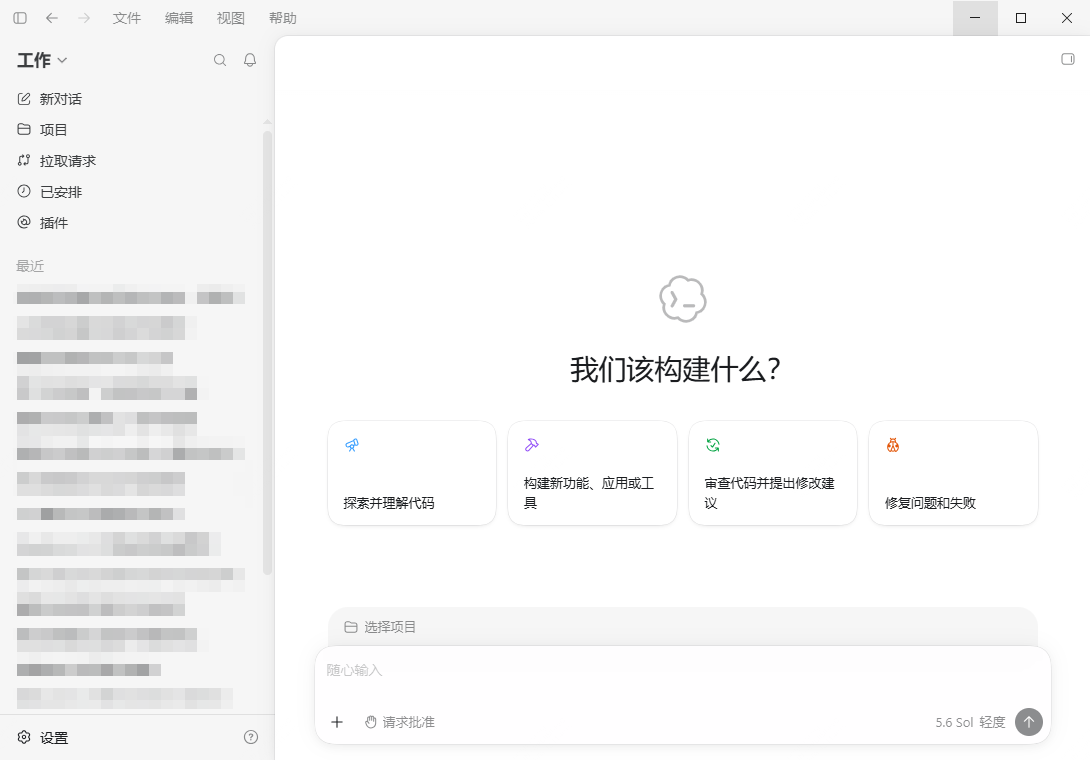
ChatGPT Desktop is an AI workspace launched by OpenAI, integrating chat, code editing, and file processing. It supports Codex agent collaboration, allowing you to work with AI locally to complete document writing, code generation, file analysis, and other tasks. Official download link: https://chatgpt.com/zh-Hans-CN/download/
CCSwitch Configuration
- Install CCSwitch
CCSwitch is an open-source, cross-platform AI programming tool control panel that supports one-click management of API provider configurations for various AI programming tools such as Codex and Claude Code. Official download address: https://www.ccswitch.io/zh/
- Open CCSwitch and select ChatGPT
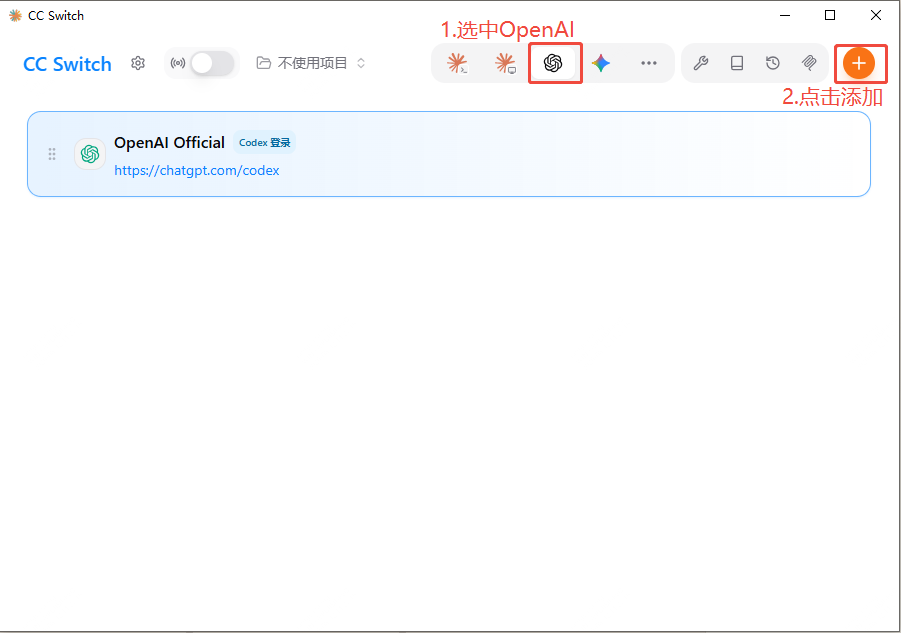
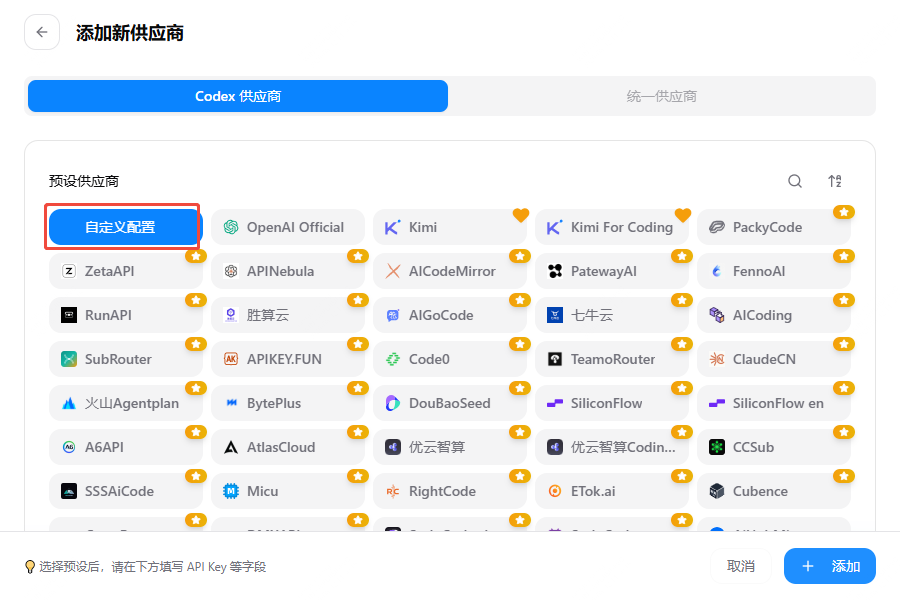
- Select Custom Configuration
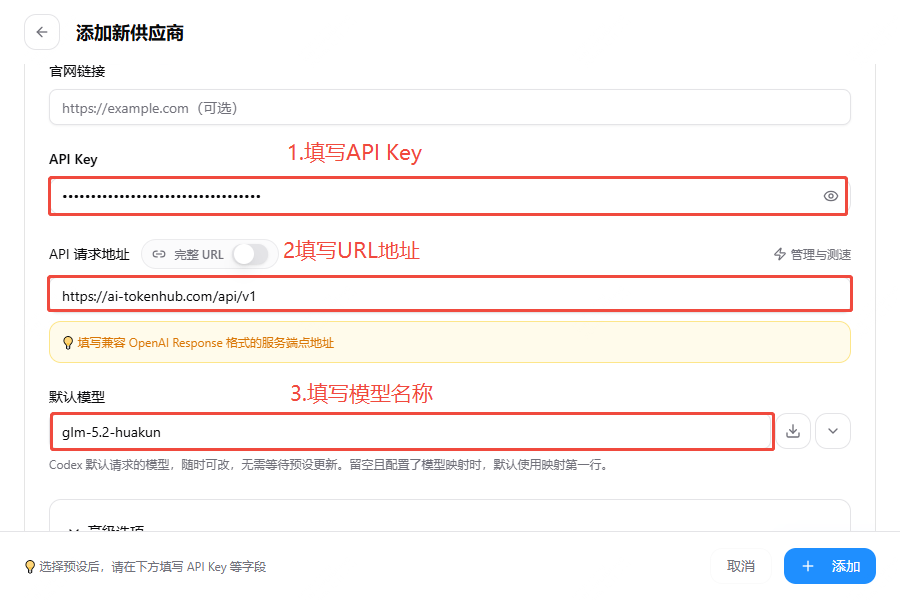
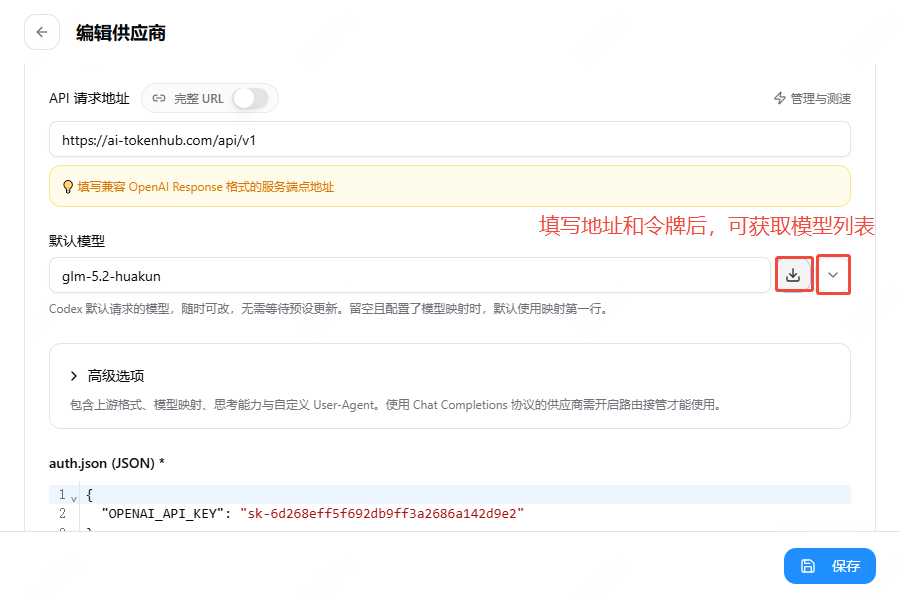
- Scroll down the page, fill in the parameters and save. Reference parameters are as follows:
| Configuration Item | Description |
|---|---|
| Provider Name | Custom fill, for easy identification |
| API key | Token's API key (starts with sk-) |
| API Request Address | https://ai-tokenhub.com/api/v1 |
| Default Model | Can be copied from AI-TokenHub Model Marketplace, or obtained via the button on the right side of the default model |
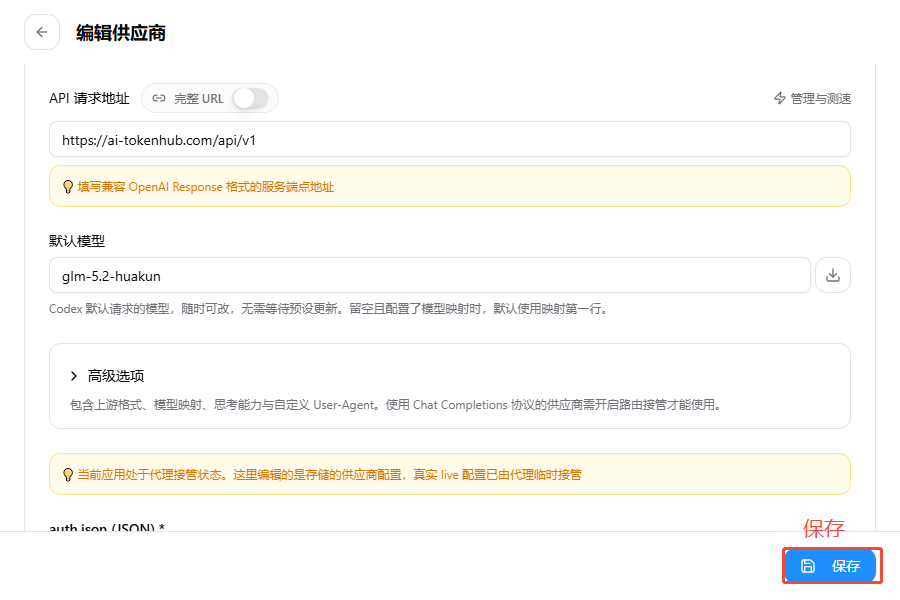
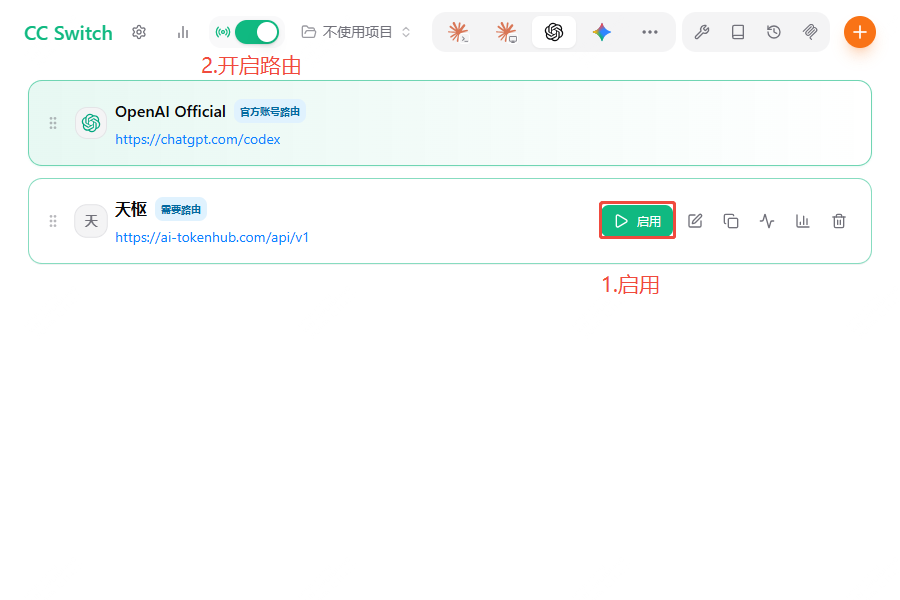
- Enable Configuration and Routing
- Return to the ChatGPT desktop client and start using it