Cline Configuration Tutorial
Cline Introduction
Cline (formerly Claude Dev) is a VSCode-based AI programming plugin that supports full project-level code understanding, cross-file refactoring, automatic debugging, UI design-to-code conversion, and more. It can directly help you write code, fix bugs, create files, install dependencies, and significantly improve development efficiency. It can also be used on VSCode-based platforms like Trae and Cursor.
Cline Model Configuration (using VSCode as an example)
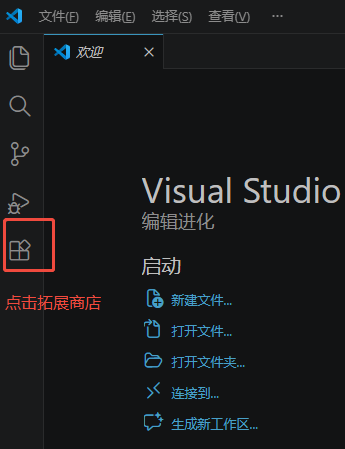
- Install the Cline plugin
Search for cline in the extension store and install it
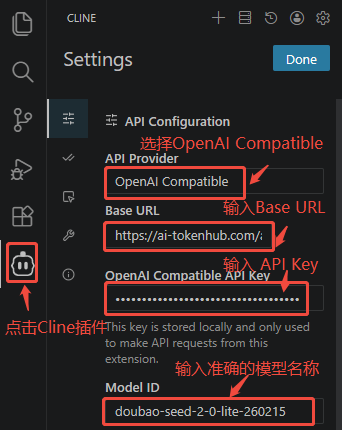
- Click on the Cline plugin
Select OpenAI Compatible for API Provider
Enter Base URL
Enter API Key
Enter the accurate model name
Click "Done" to save