Cursor Configuration Tutorial
Cursor Introduction
Cursor is the world's most popular AI-native code editor developed by Anysphere. Built on the VSCode kernel, it fully inherits all extensions, themes, and keyboard shortcuts from VSCode, allowing developers to migrate seamlessly at zero cost. It integrates core capabilities such as full project-level code understanding, cross-file refactoring, and natural language programming.
Cursor Model Configuration
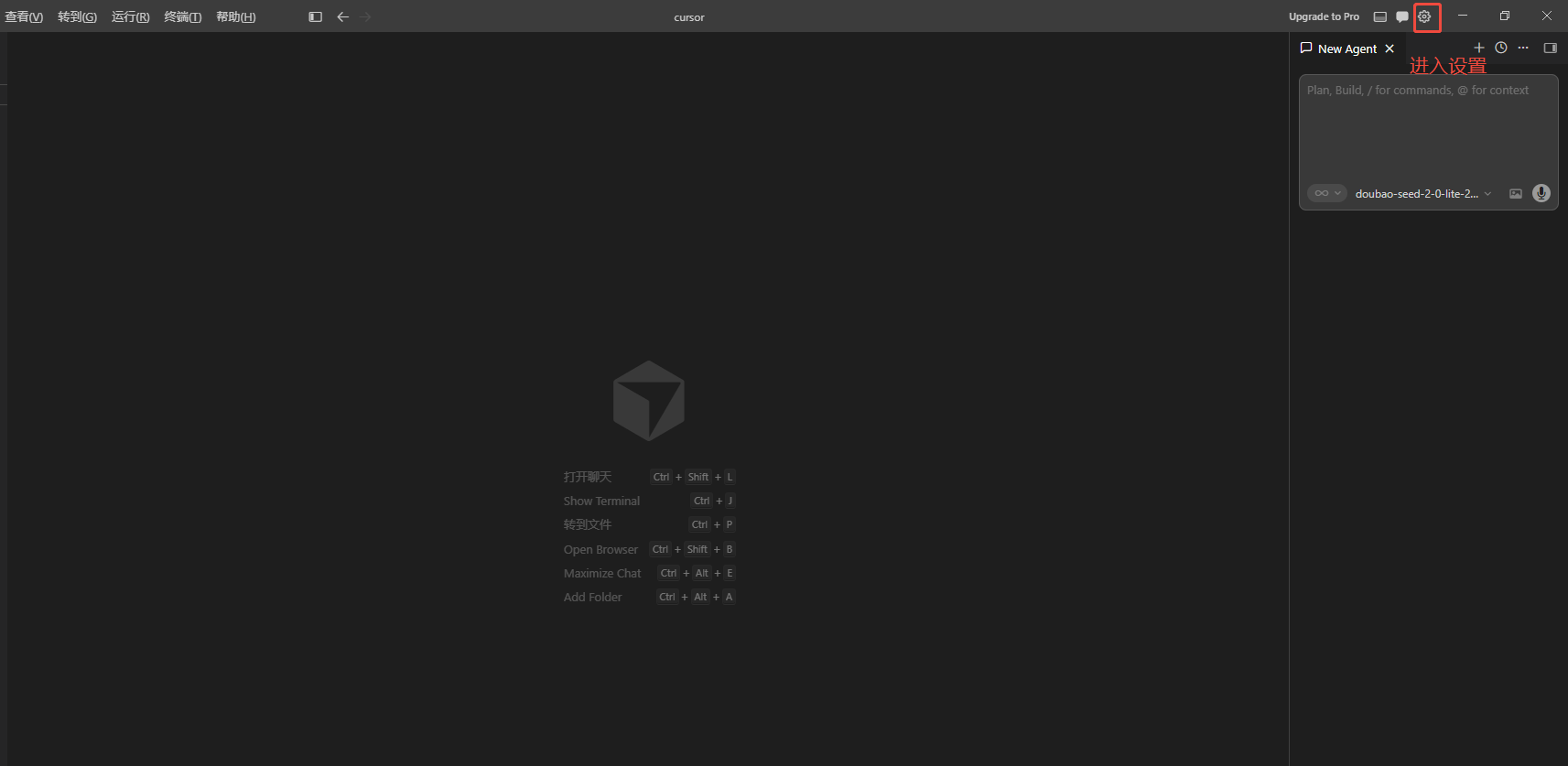
Open Cursor and click the settings icon in the upper right corner of the interface
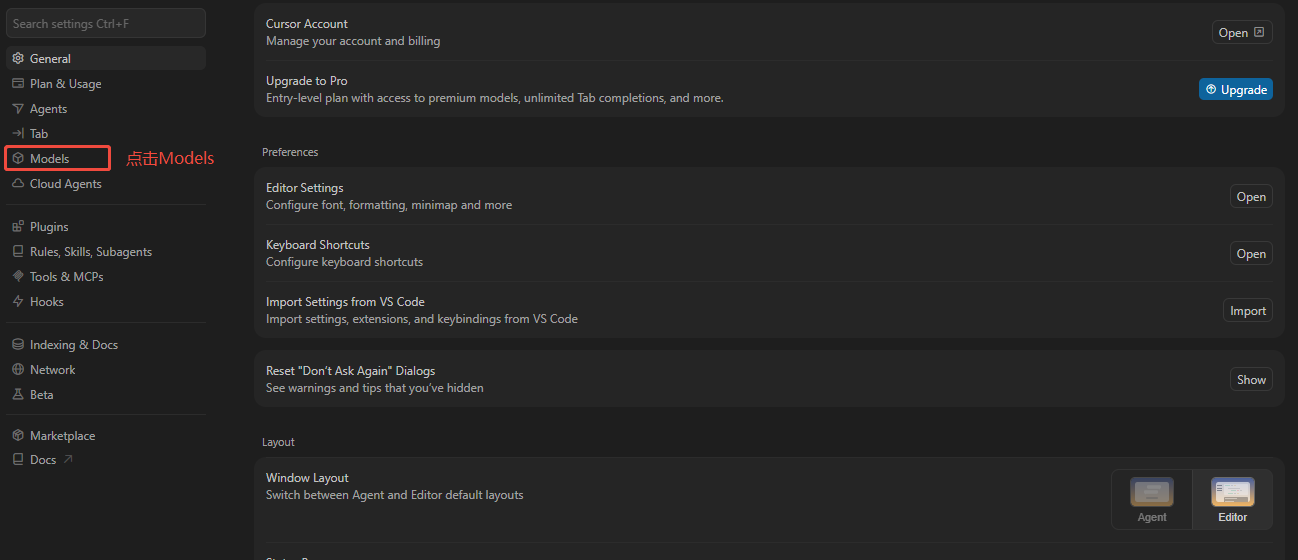
Select Models to enter model configuration
Scroll down the page and enable both API Key and Base URL switches
Enter your configured token key (API Key) and Base URL
Base URL address:
Override OpenAI Base URL: https://api.n1n.ai/v1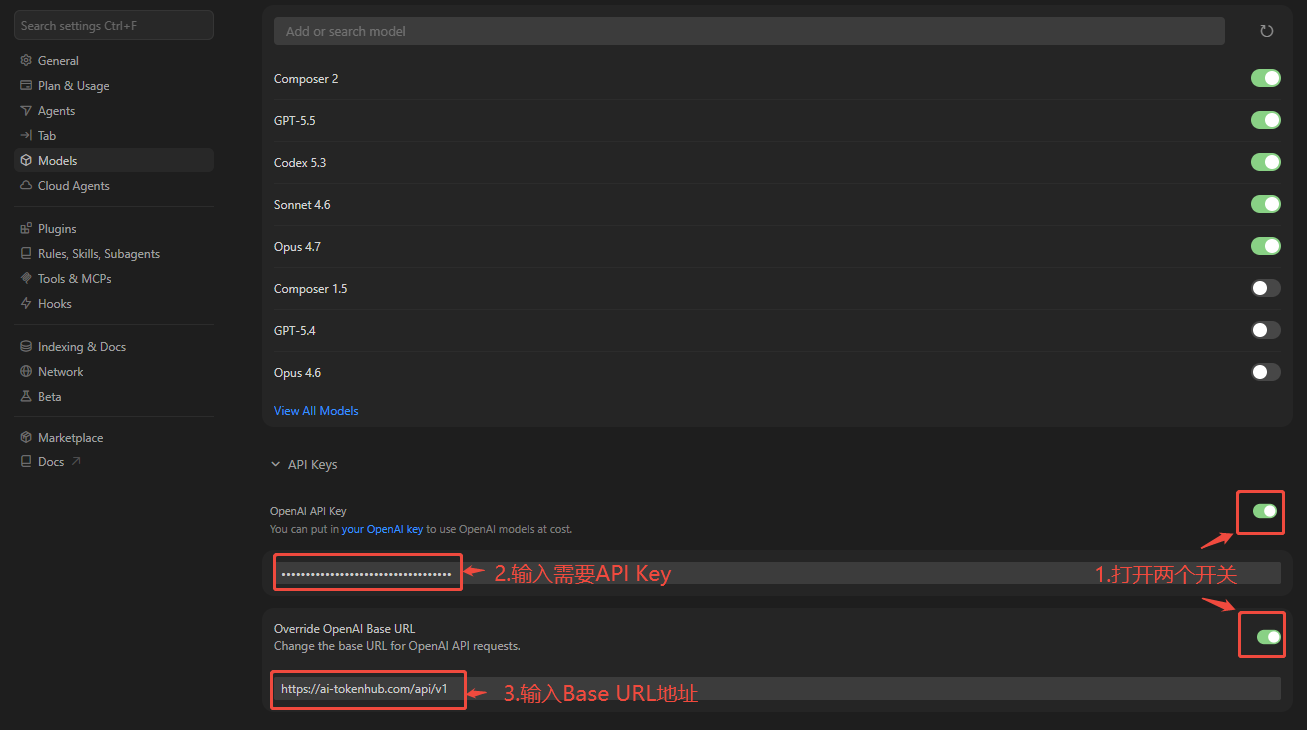
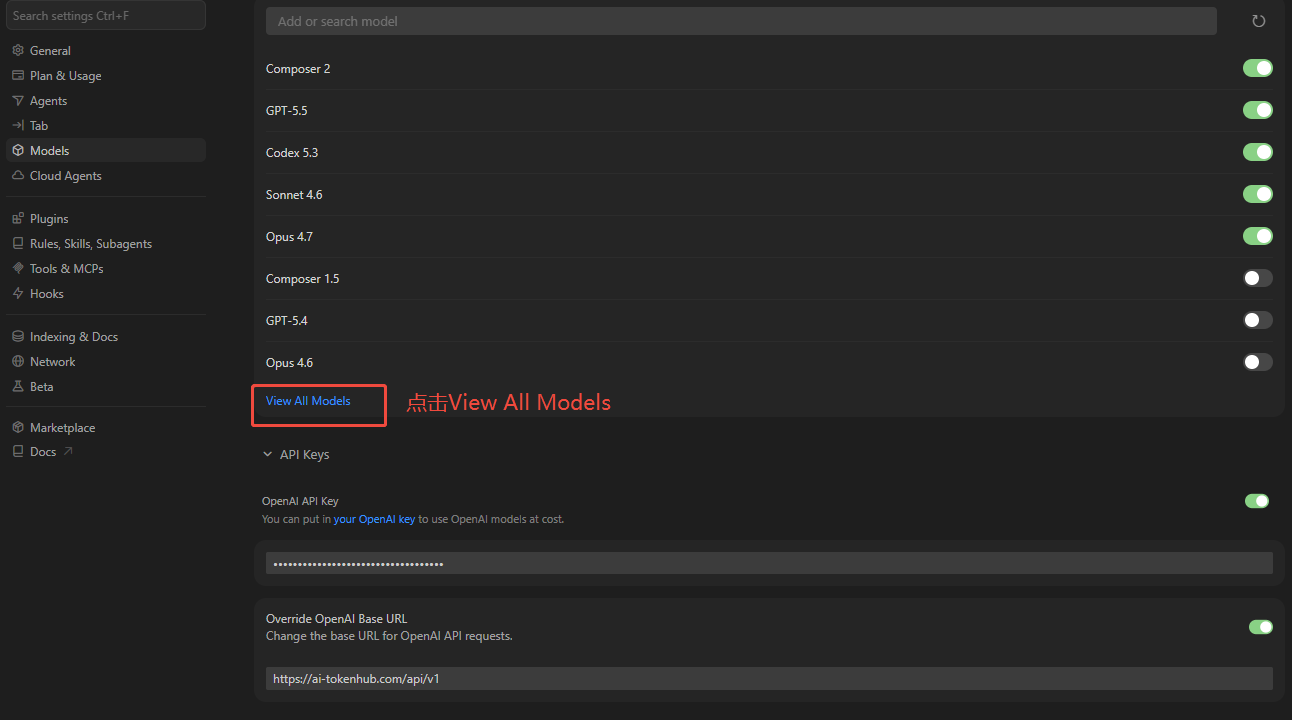
Click View All Models
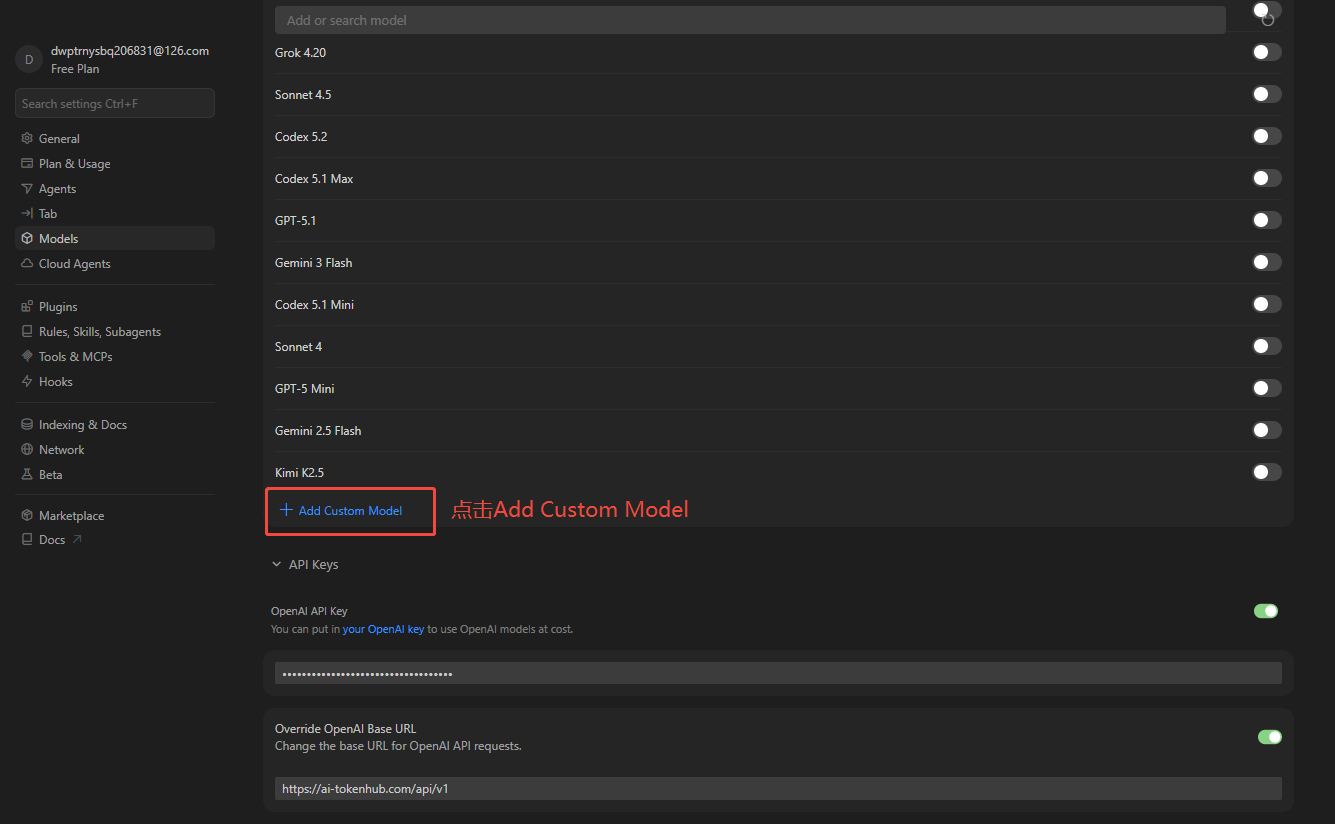
Click Add Custom Model
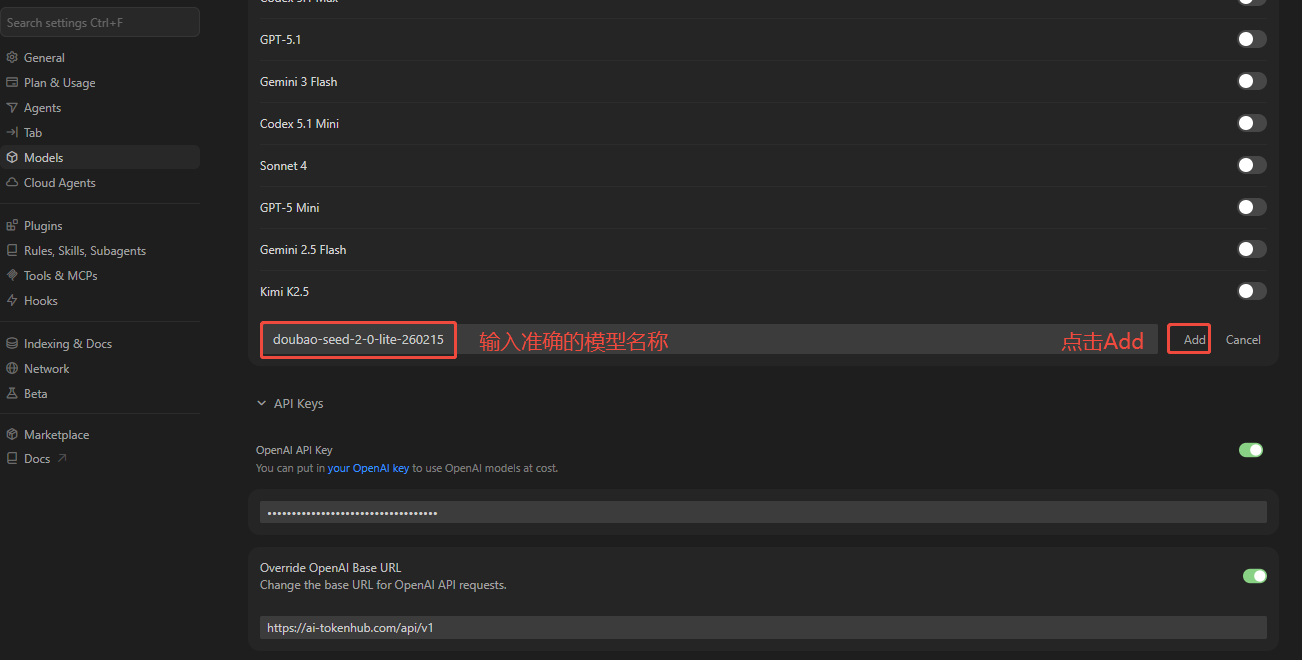
Enter the accurate model name and click add
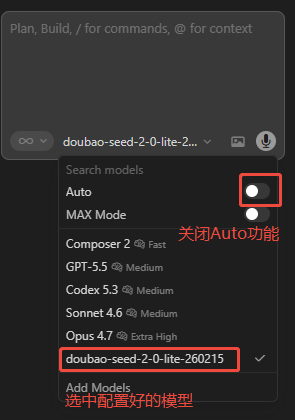
Disable the Auto function, select the configured model, and you can start using it