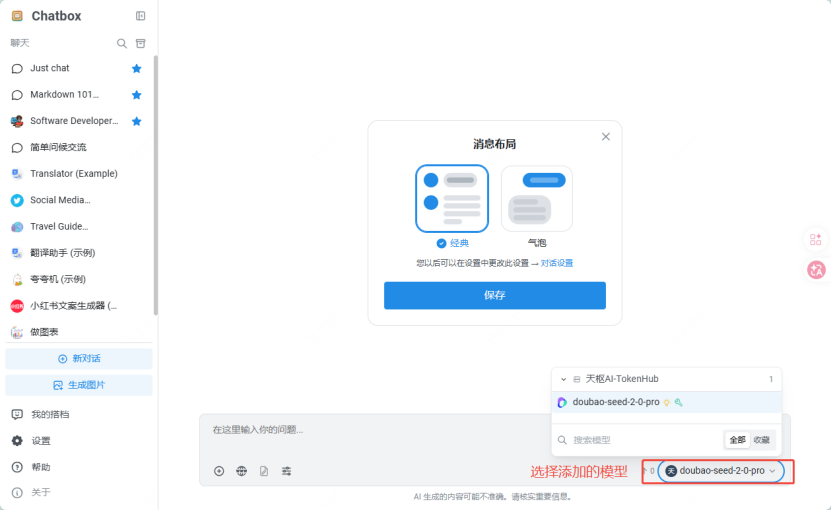
Chatbox Configuration Guide
About Chatbox
Chatbox is an open-source cross-platform AI chat client. It supports connecting to multiple mainstream large model APIs, providing features such as conversation management, context memory, prompt templates, and code highlighting. It also supports local data storage.
Chatbox official website: https://web.chatboxai.app/
Chatbox Configuration Steps
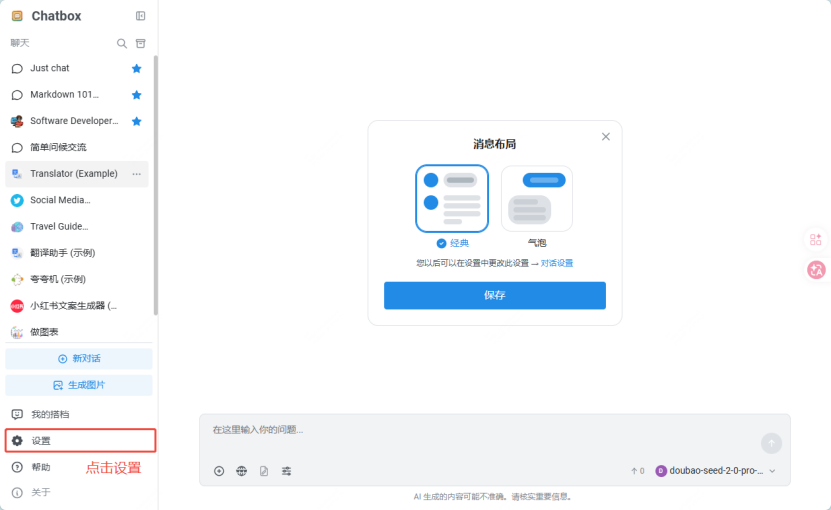
Go to Settings
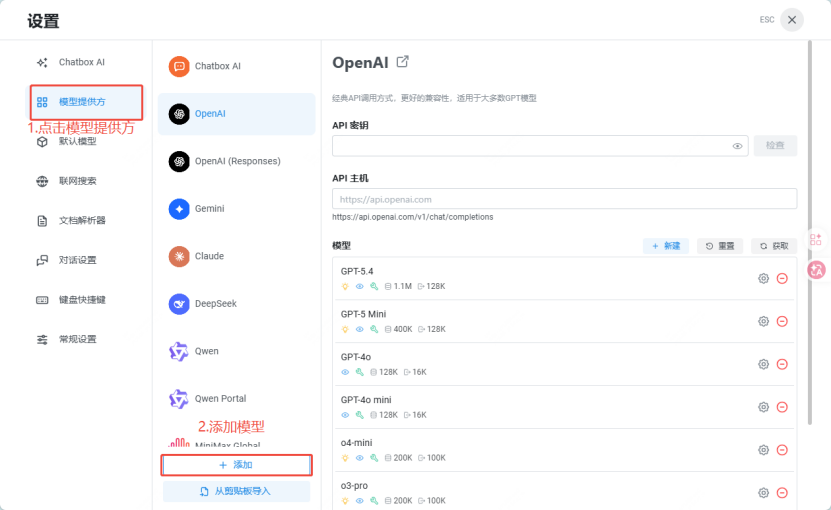
Select Model Provider and Add Model
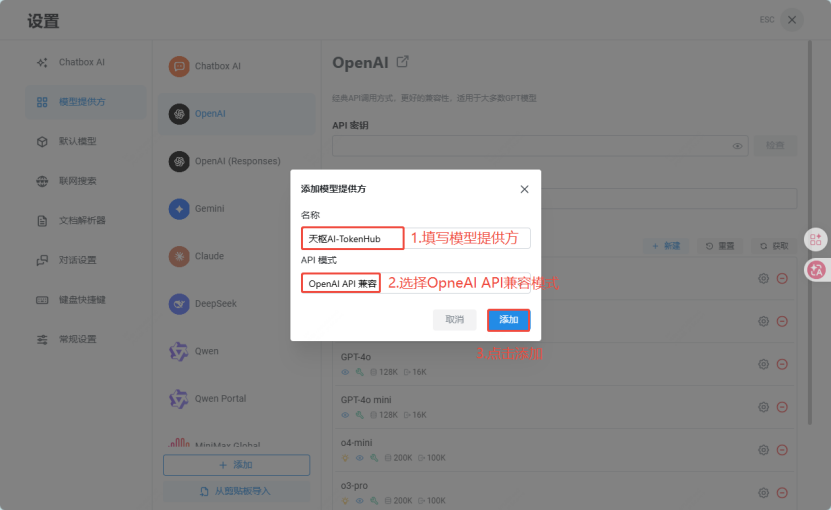
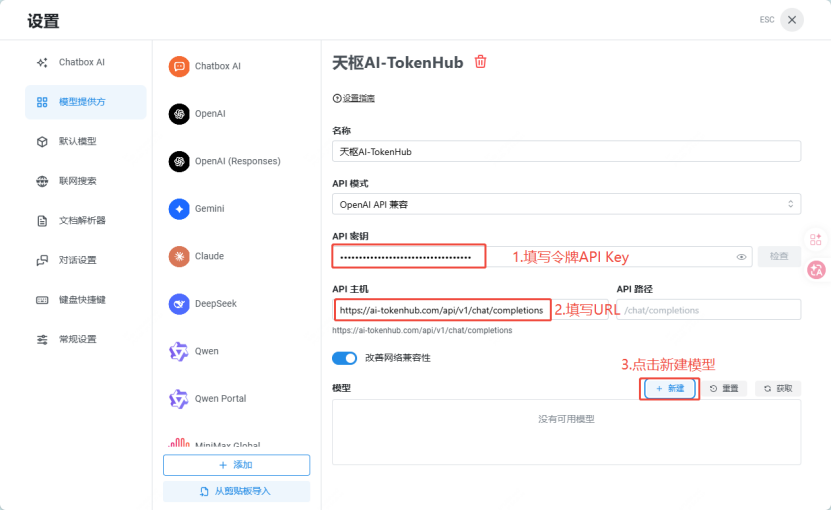
Fill in Model Provider Name and Select API Mode
Fill in Token Parameters and Create New Model
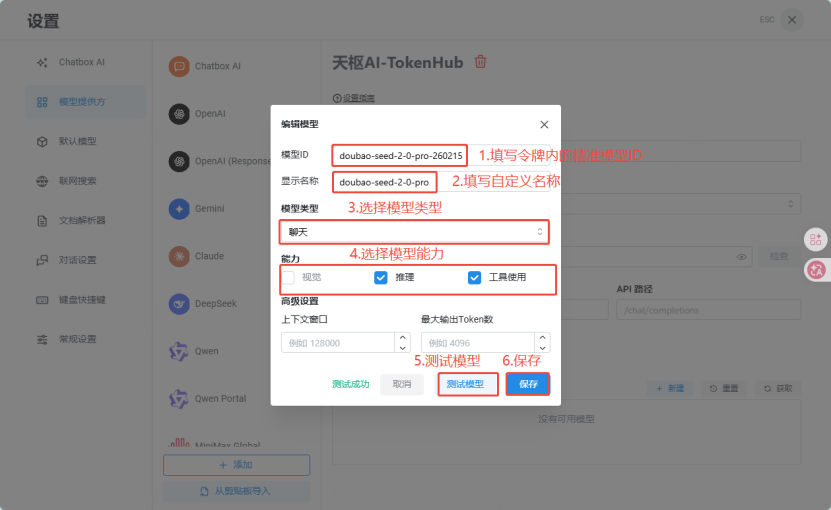
Edit Model, Save After Test Passes
Return to Home Page and Select the Added Model