DeepSeek Harness Configuration Tutorial
Introduction to DeepSeek Harness
DeepSeek Harness is the official desktop AI workspace launched by DeepSeek. It integrates conversations, plugins, and workspace management, supports connecting to third-party model providers, and allows you to collaborate with AI locally on conversations, code generation, file processing, and other tasks.
DeepSeek Harness Configuration Steps
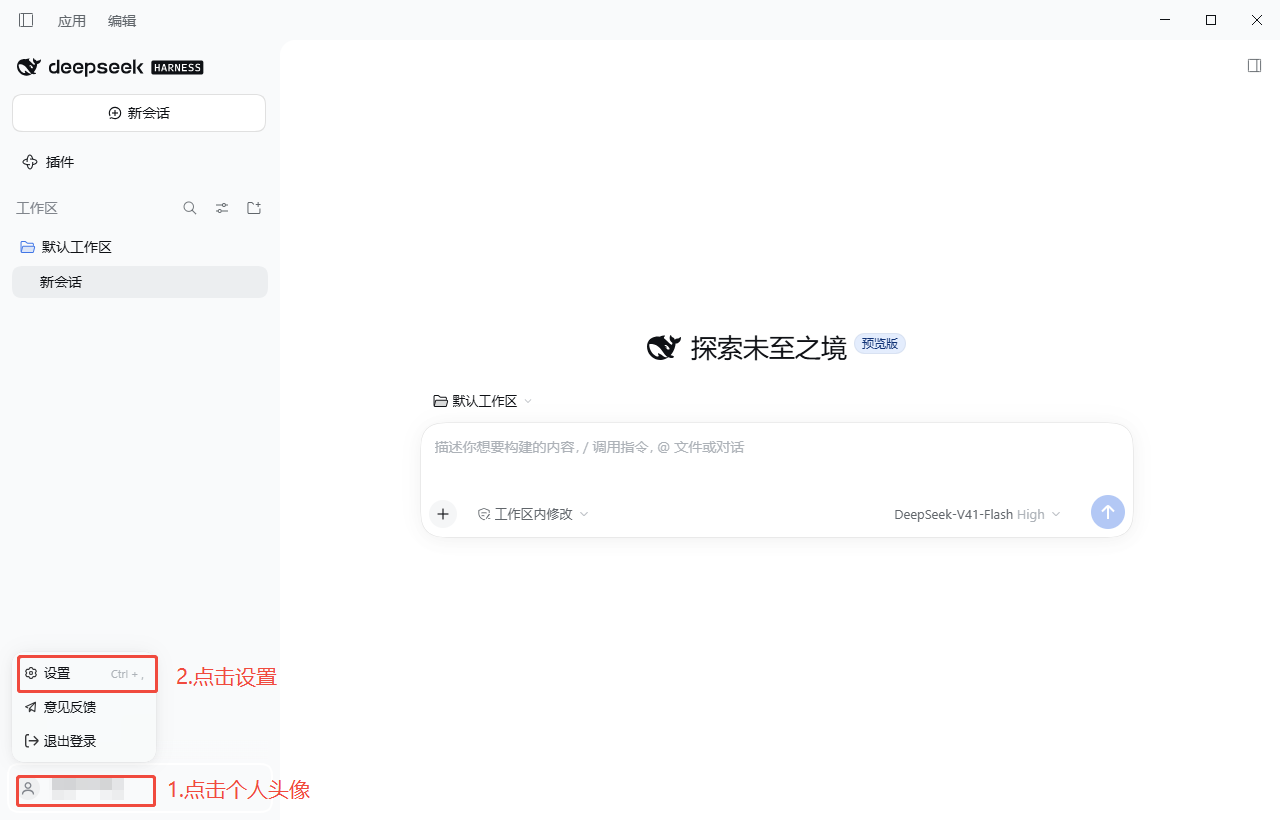
- Click on the personal avatar to enter Settings
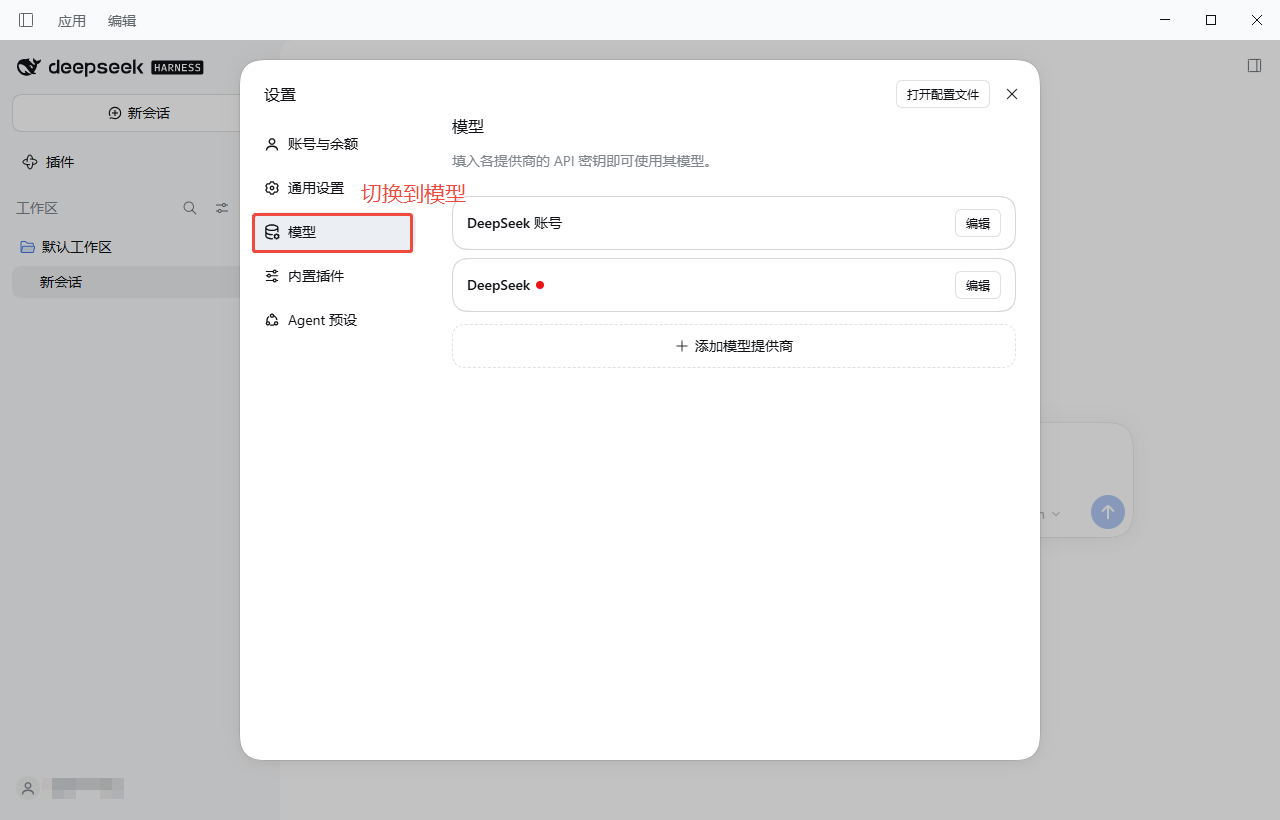
- Switch to the "Model" tab
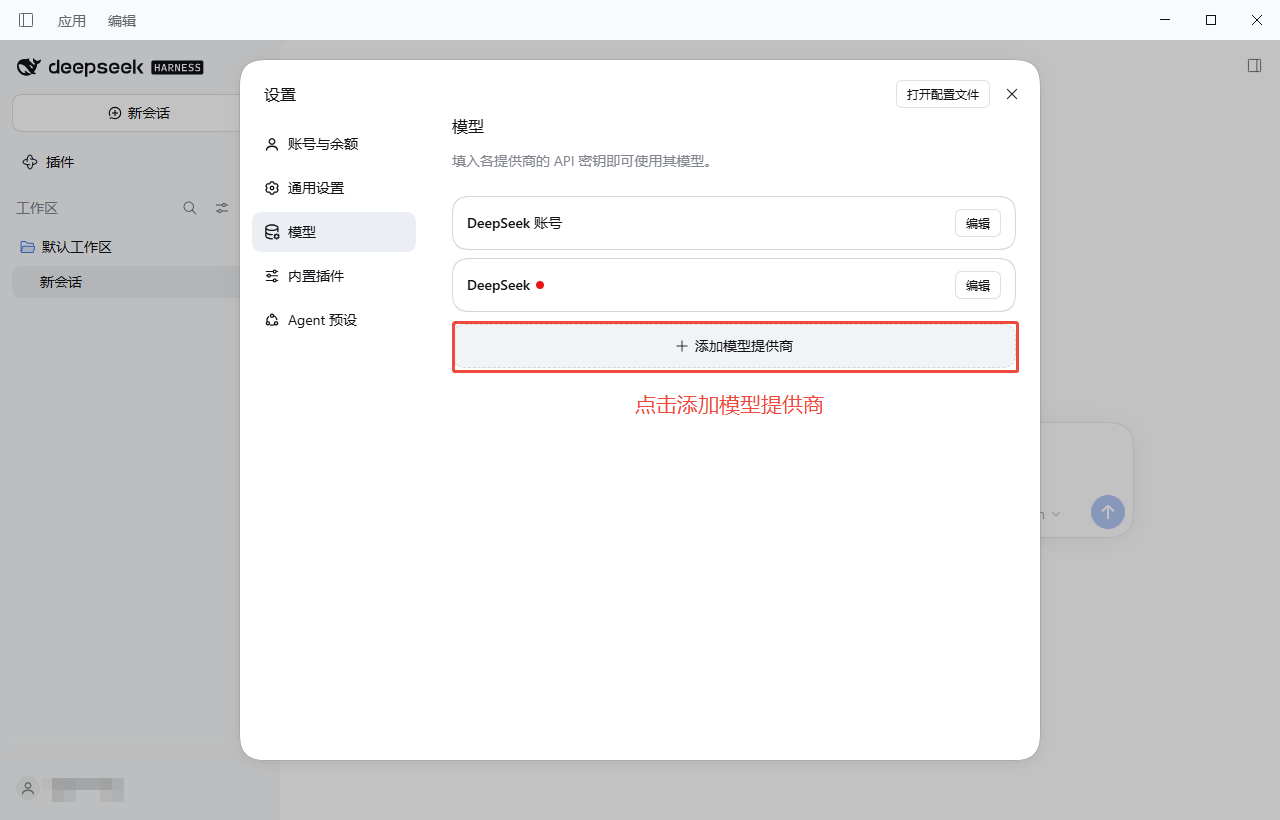
- Click "Add Model Provider"
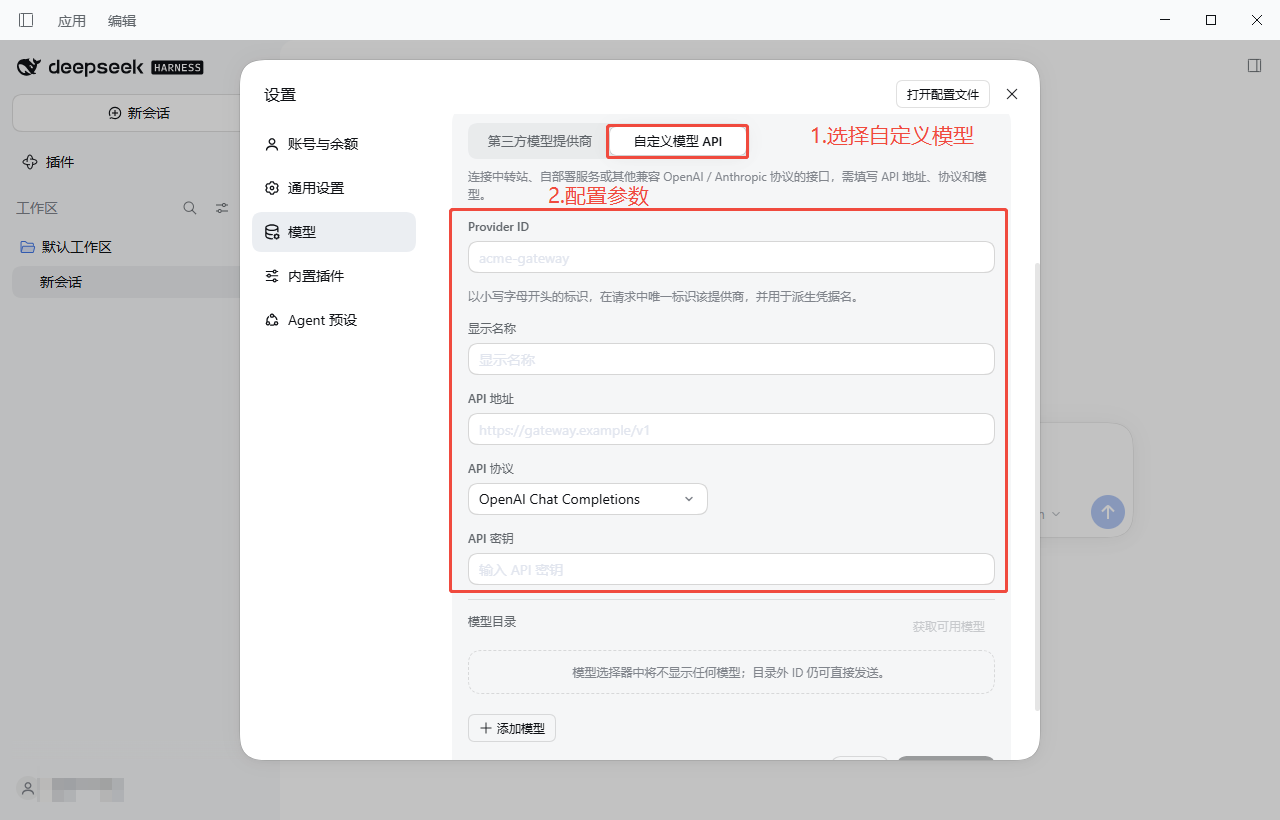
- Select "Custom Model API" and configure the parameters. Reference parameters are as follows:
| Configuration Item | Description |
|---|---|
| Provider ID | tianshu-tokenhub (starts with a lowercase letter, uniquely identifies this provider in requests) |
| Display Name | 天枢 AI-TokenHub |
| API Endpoint | https://ai-tokenhub.com/api/v1 |
| API Protocol | OpenAI Chat Completions |
| API Key | Token's API key (starts with sk-) |
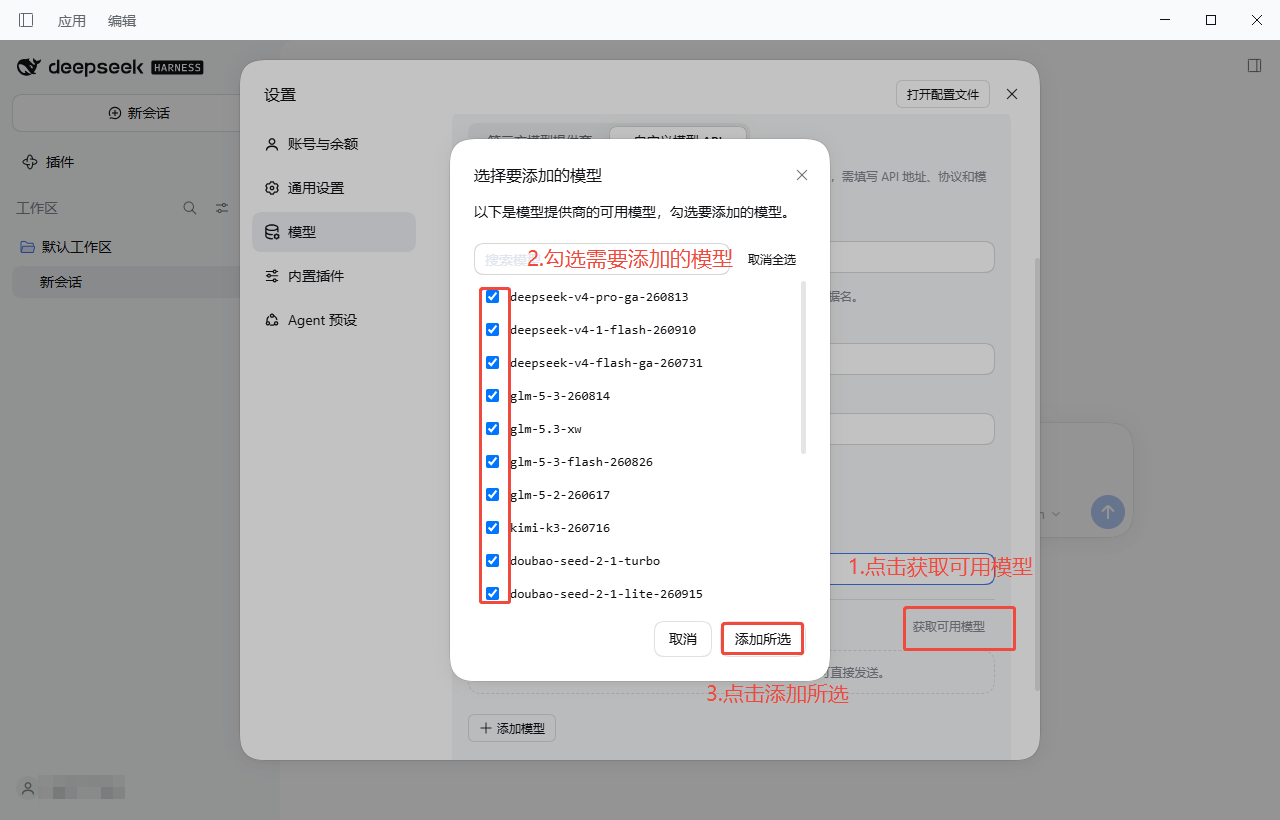
- Add models
Method 1: Click "Fetch Available Models", check the models you want to add, and confirm
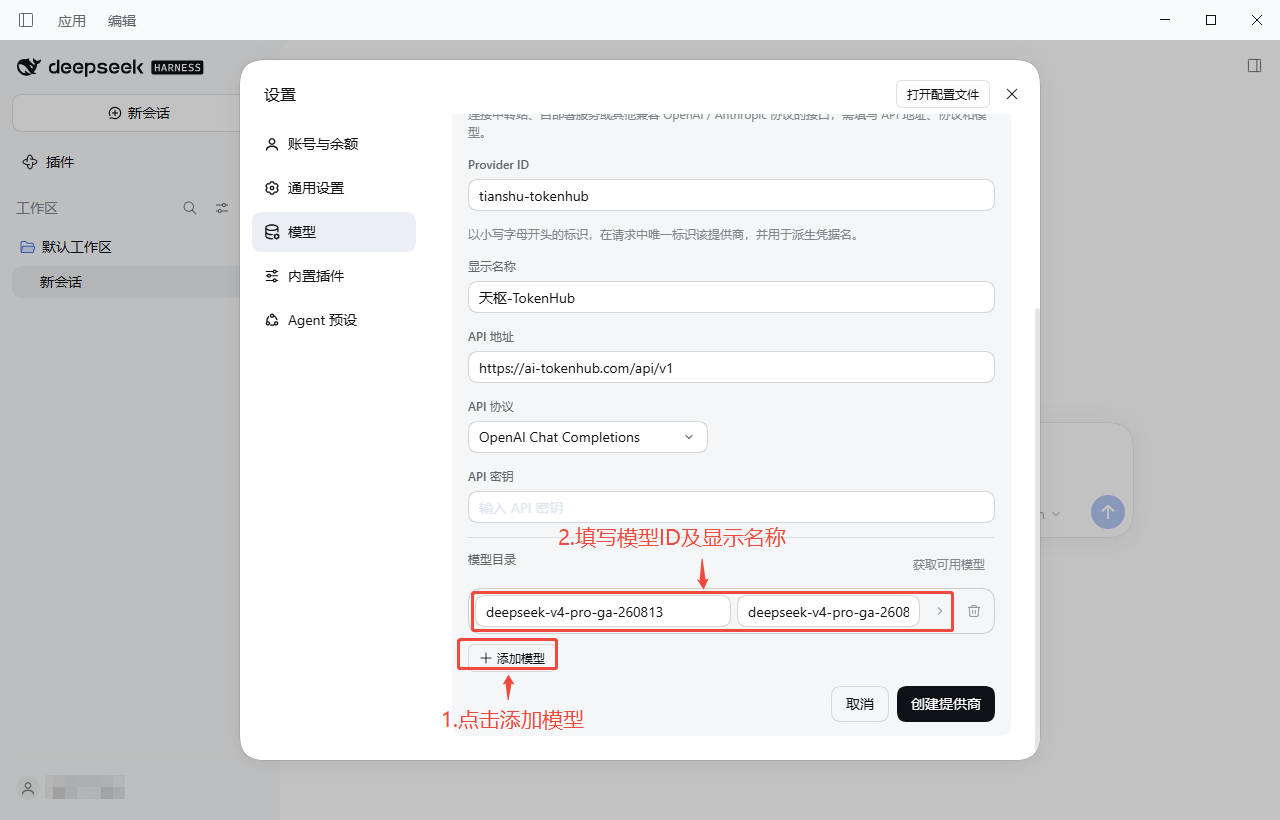
Method 2: Click "Add Model" and manually enter the Model ID and display name (the Model ID can be copied from the AI-TokenHub Model Marketplace)
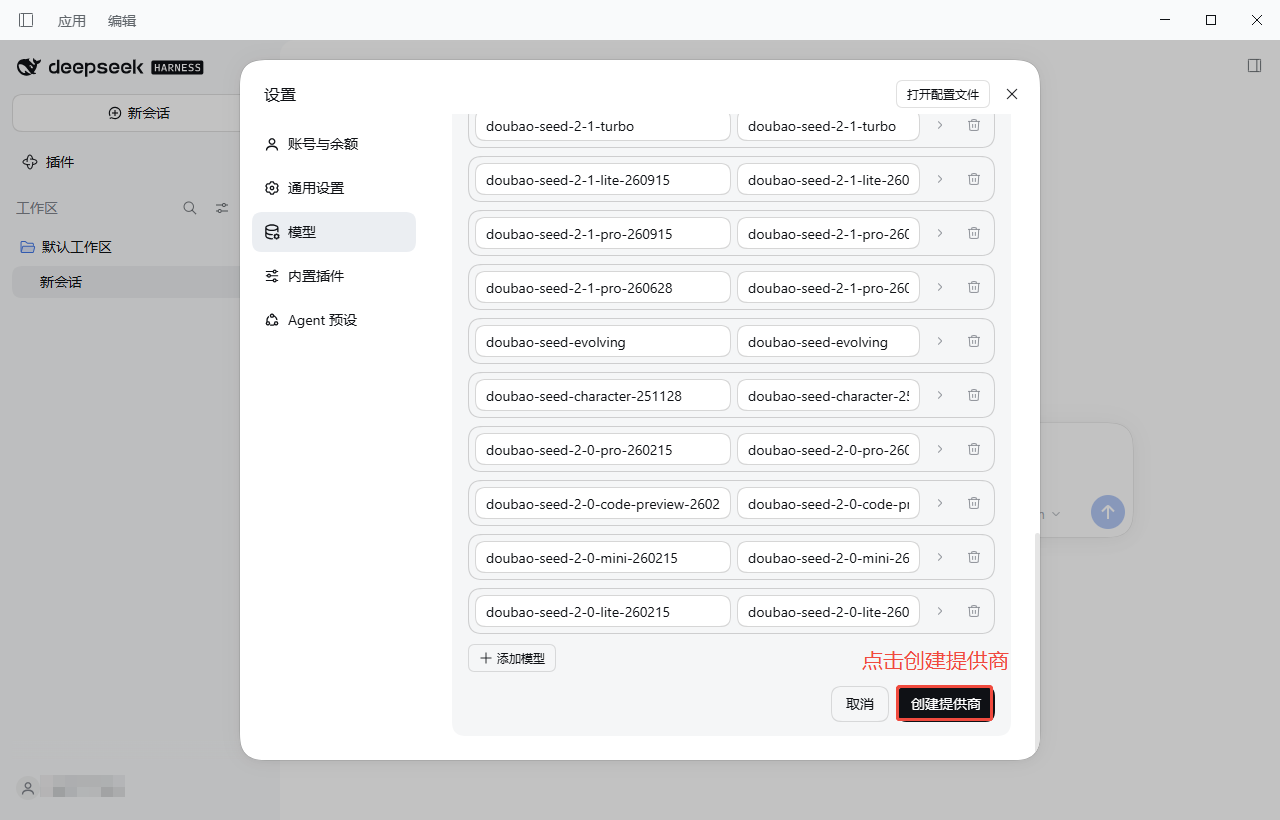
- Click "Create Provider"
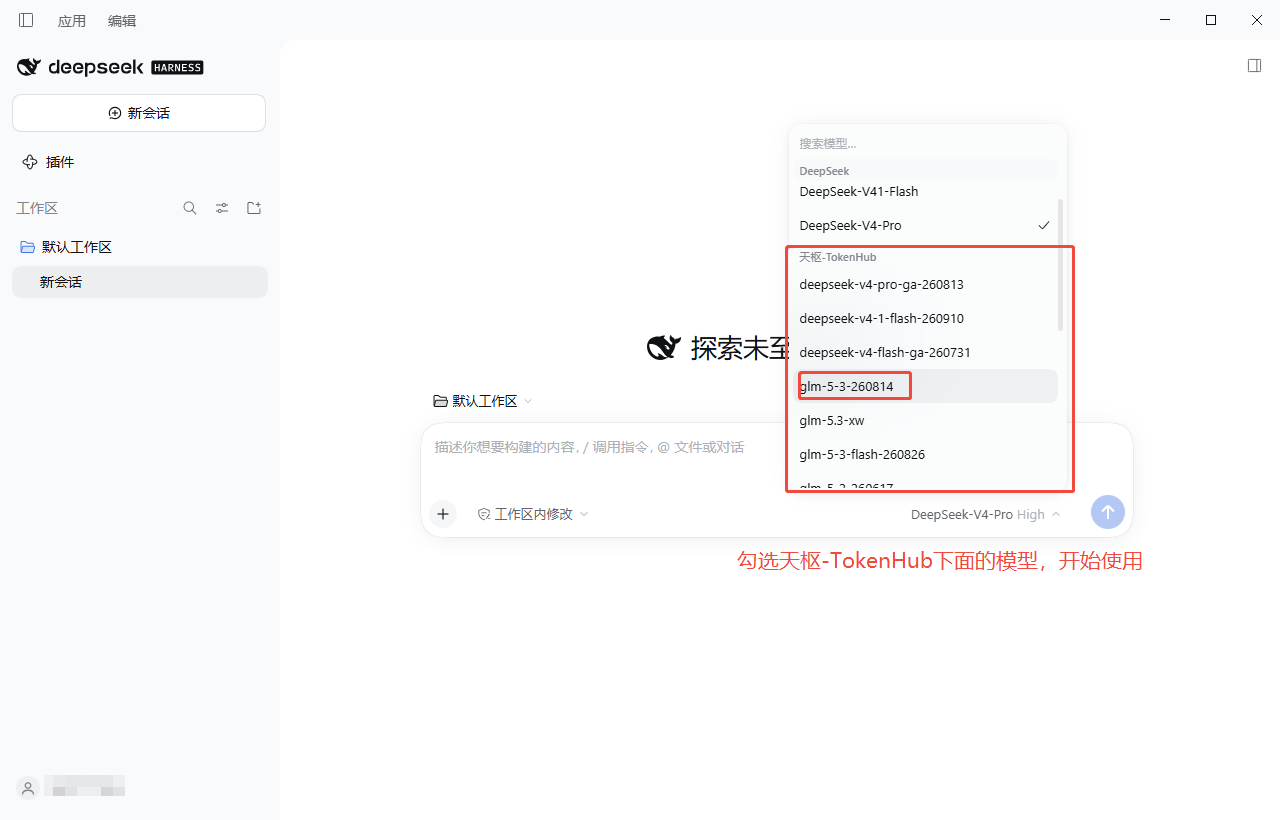
- Return to the home page and click the model selector
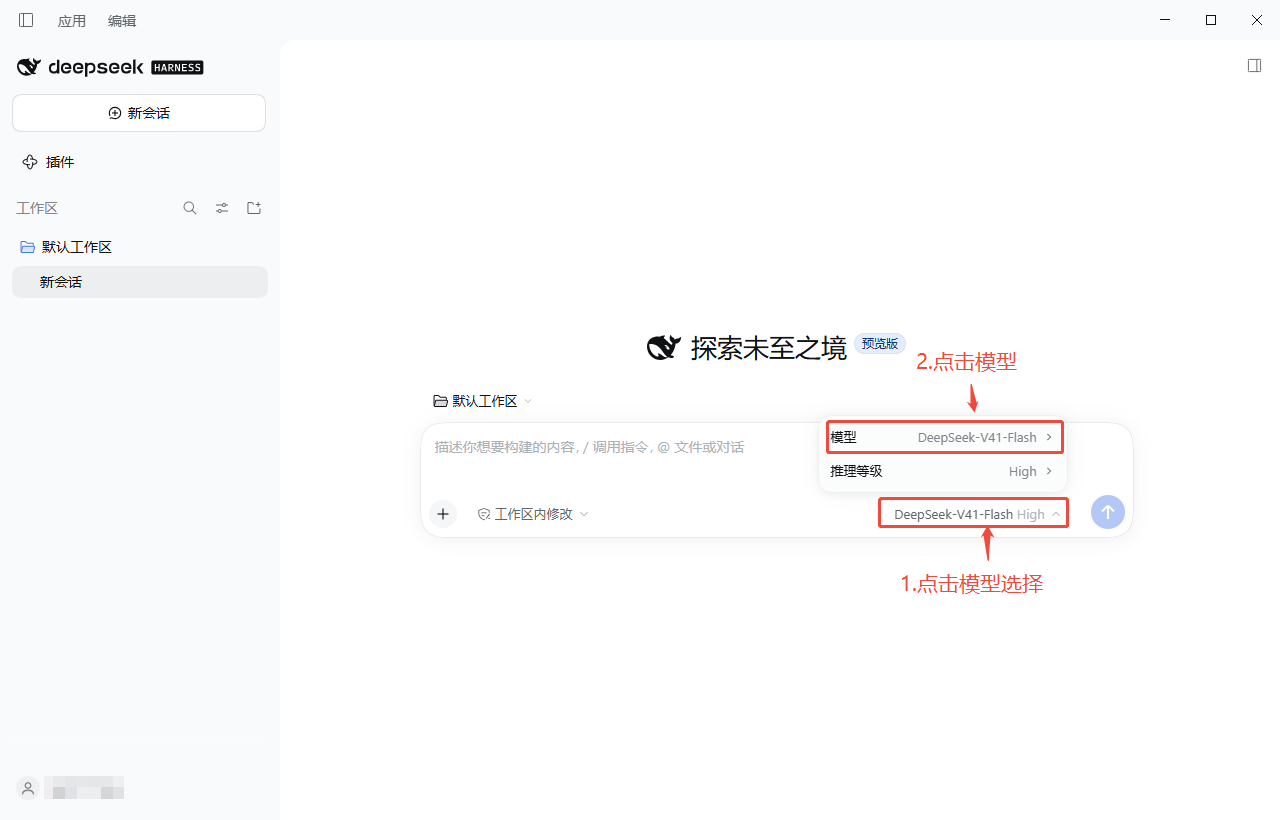
- Select a model under 天枢 AI-TokenHub and start using it