WorkBuddy Configuration Tutorial
Introduction to WorkBuddy
WorkBuddy is a full-scenario workplace AI desktop agent built by Tencent Cloud. Unlike ordinary conversational AI, it can understand natural language instructions, automatically break down multi-step tasks, read and write local files within the scope of user authorization, and produce closed-loop deliverables such as documents, spreadsheets, and PPTs.
WorkBuddy Configuration Steps
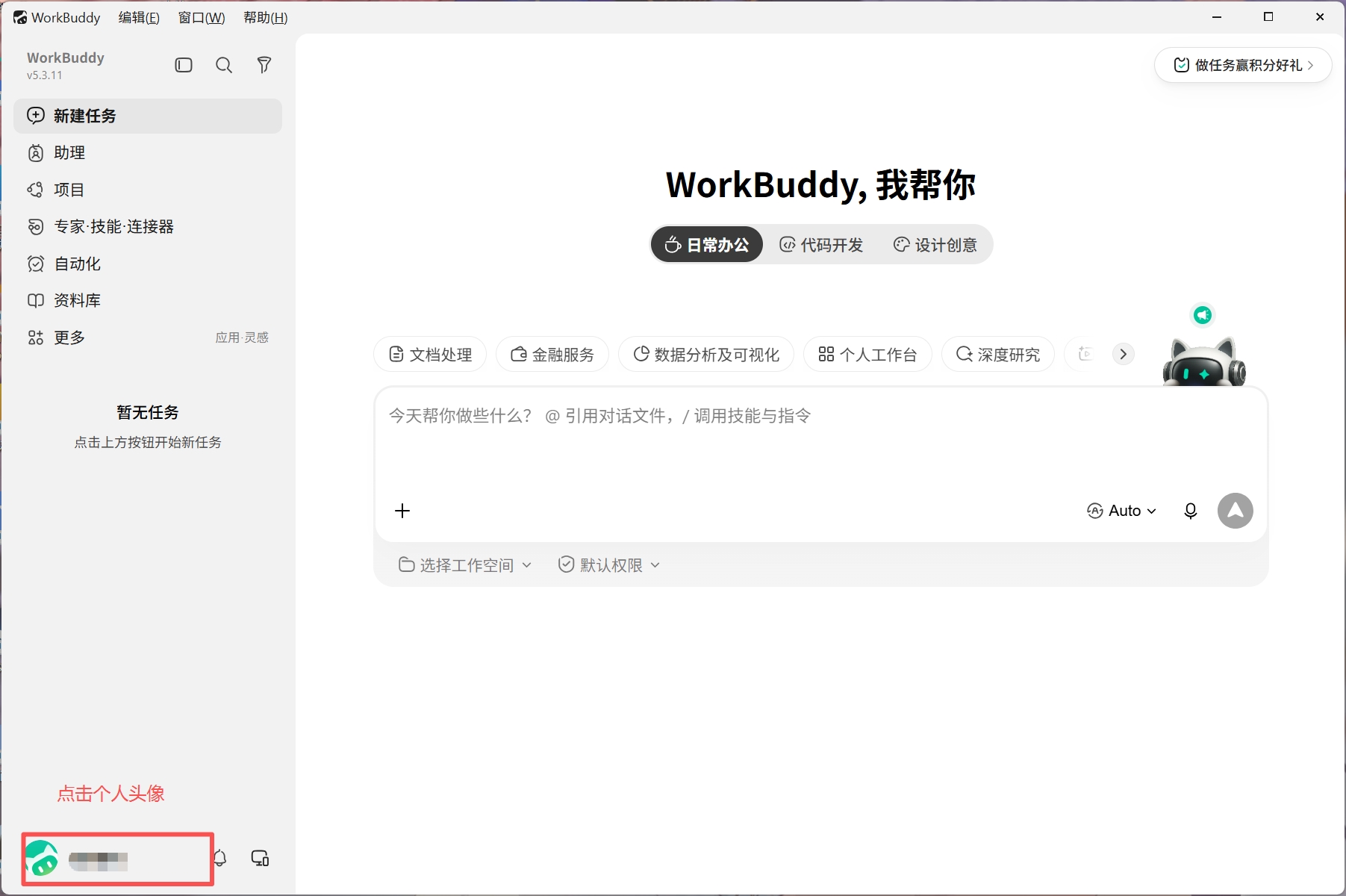
- Click on the personal avatar
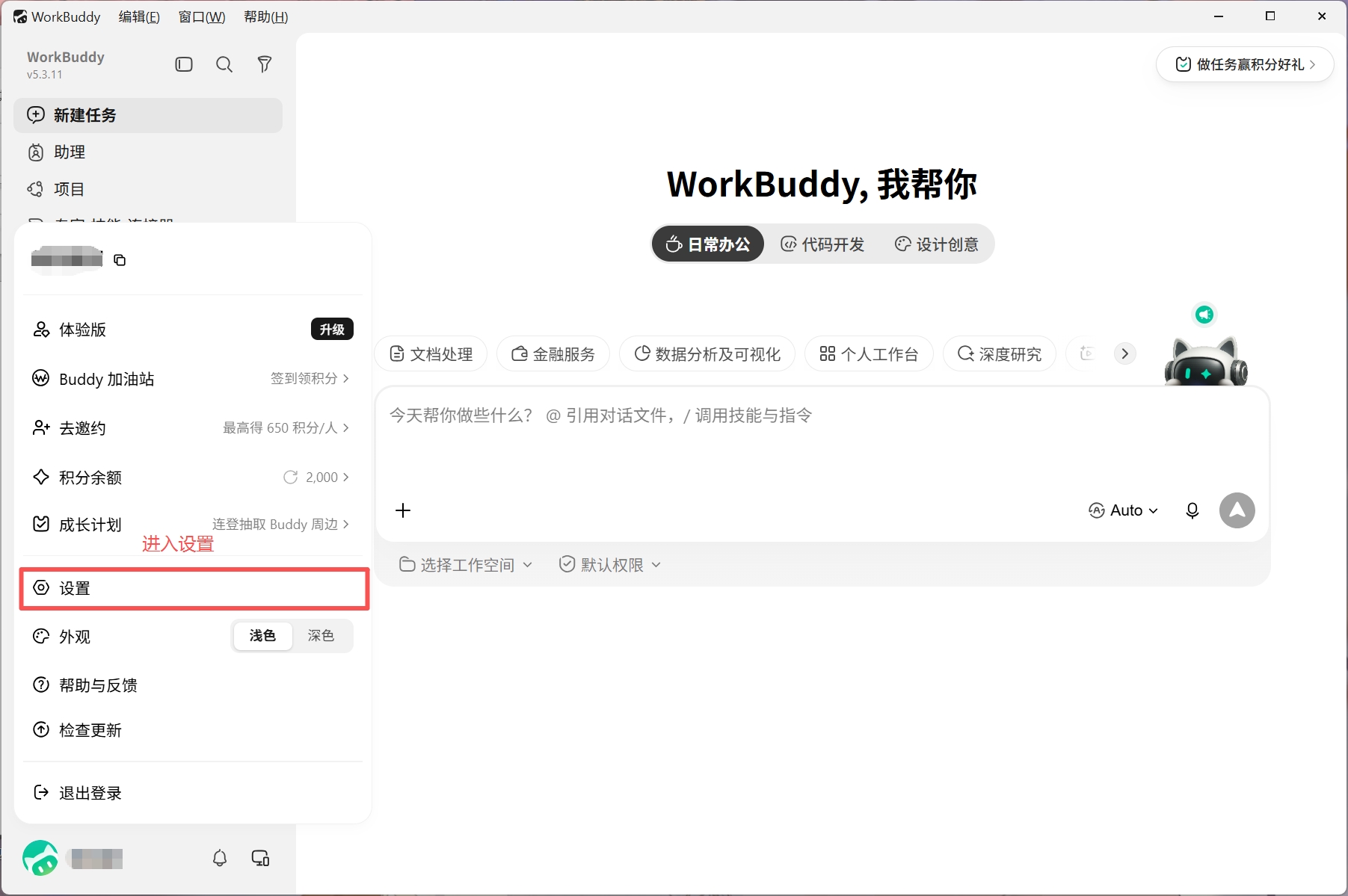
- Enter the settings window
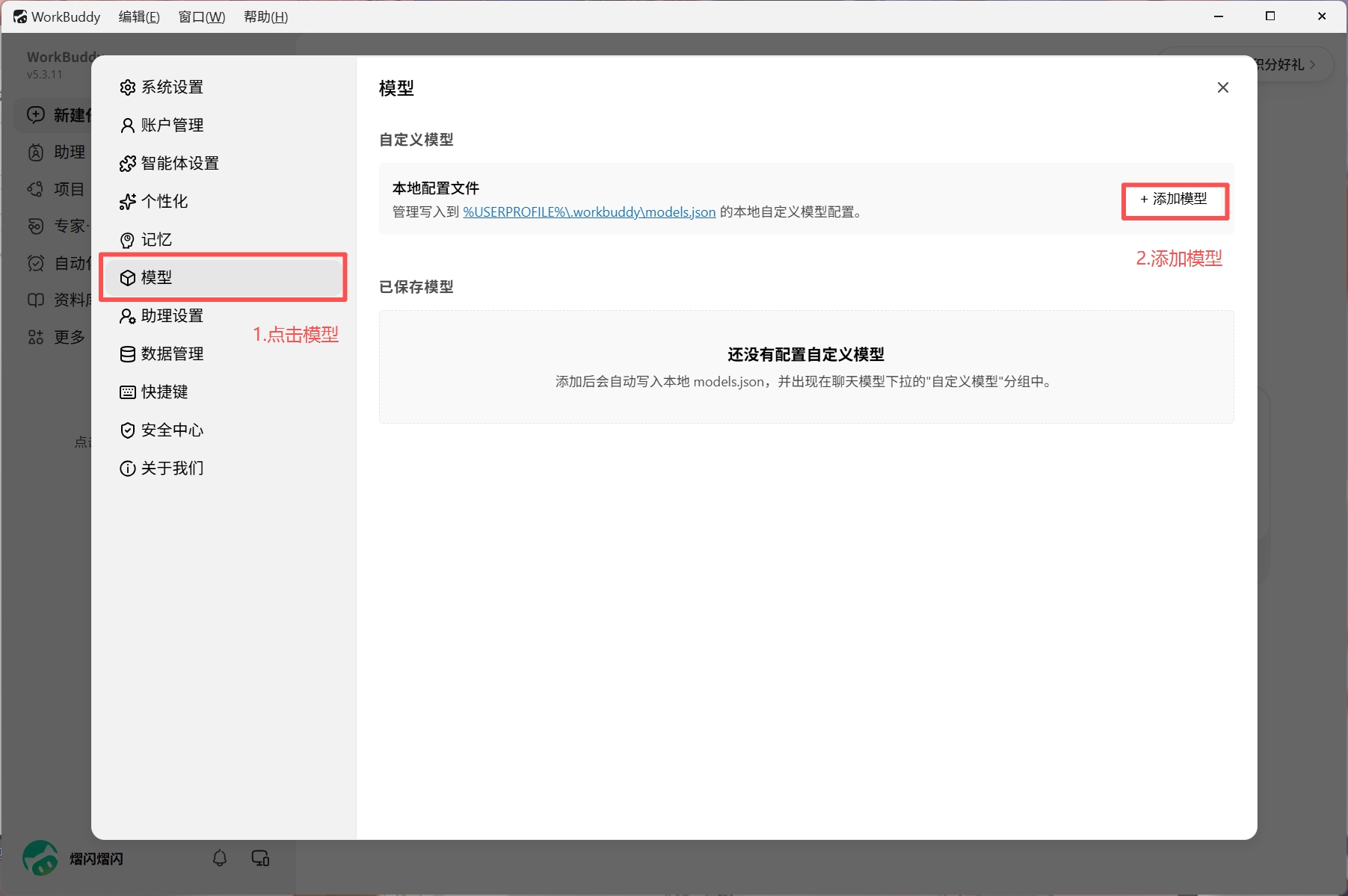
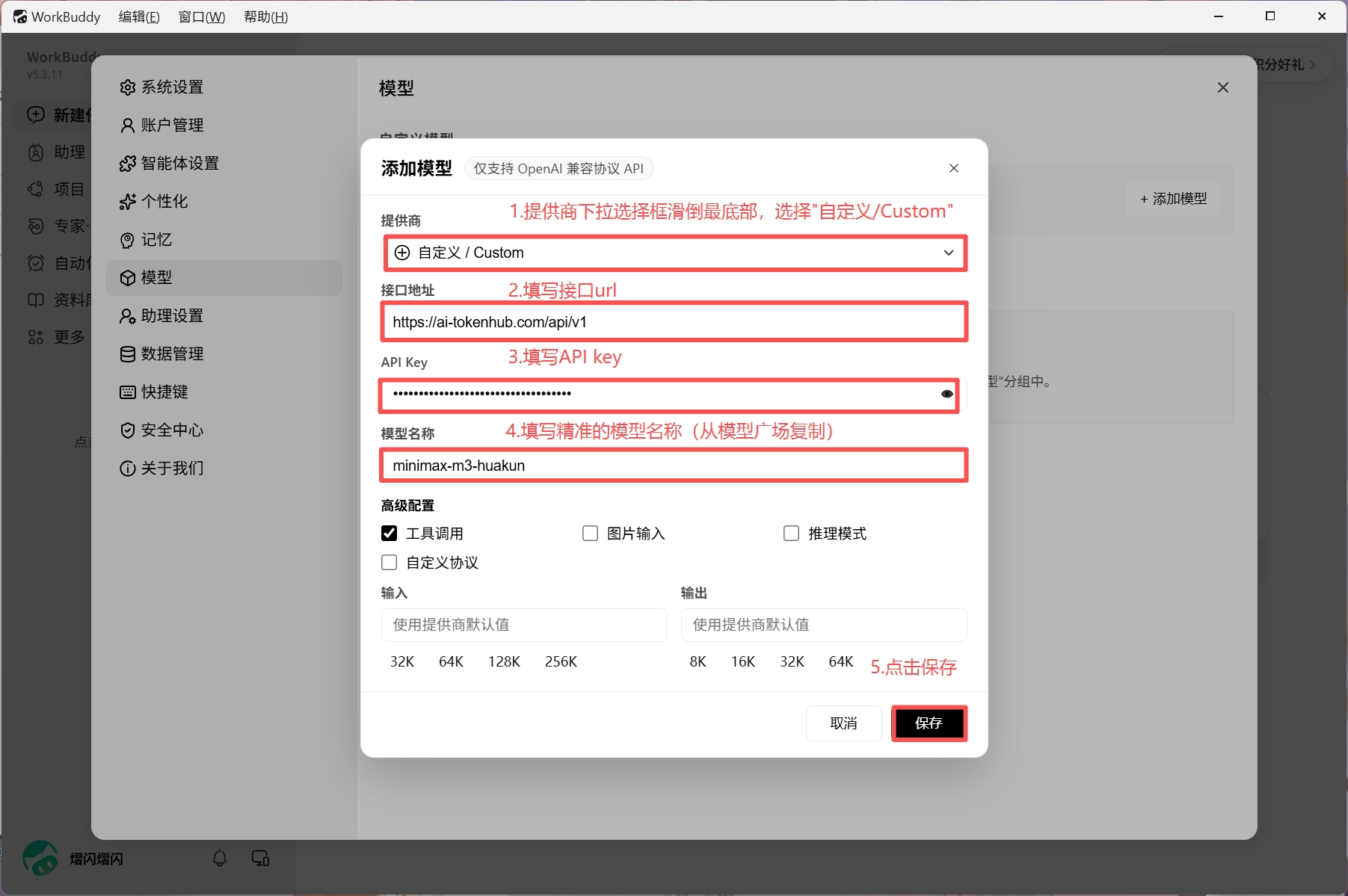
- Click "Model" and add a model
- Configure parameters and save. Reference parameters are as follows:
| Configuration Item | Description |
|---|---|
| Provider | Custom / Custom |
| API Endpoint | https://ai-tokenhub.com/api/v1 |
| API key | Token's API key (starts with sk-) |
| Model ID | The exact model name to be used, can be copied from the Model Marketplace |
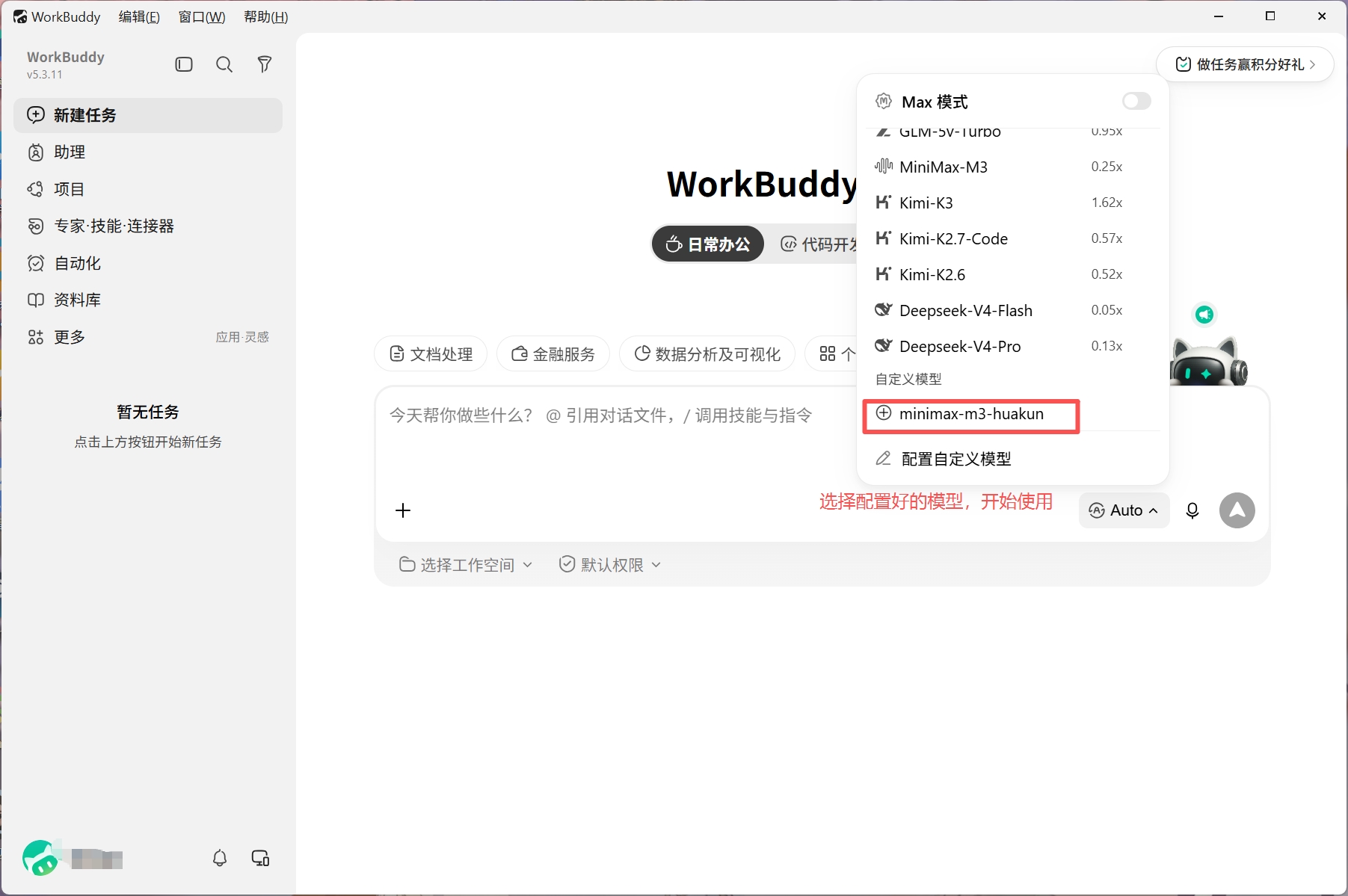
- Return to the home page, switch to the configured model, and start using it