Coze Configuration Guide
About Coze
Coze is an AI agent development and application platform launched by ByteDance. It supports no-code/low-code construction of customized AI agents, providing core capabilities such as multi-model access, knowledge base management, tool calling, and workflow orchestration. Agents can be published as API services or multi-channel applications.
Coze official website: https://www.coze.cn/home
Coze Configuration Steps
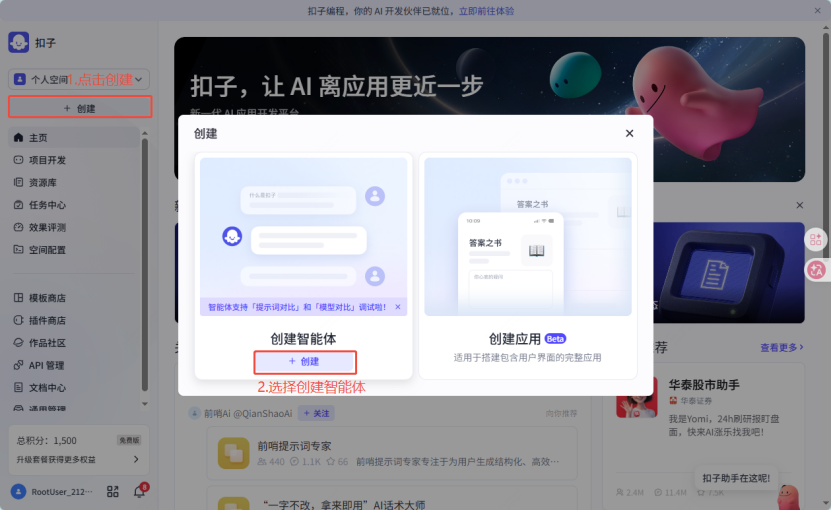
Create Agent
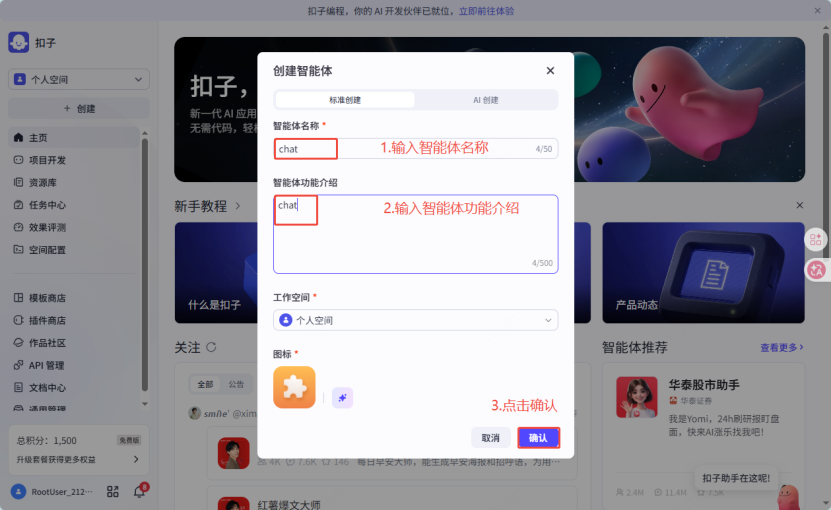
Configure Agent
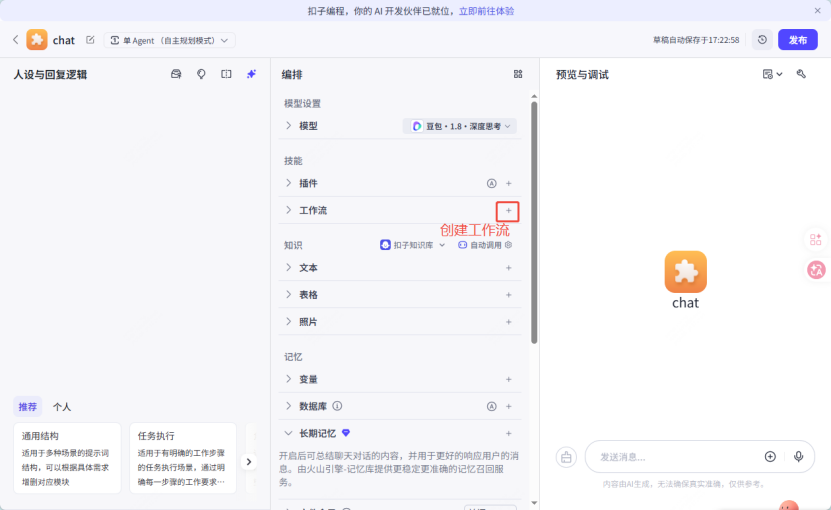
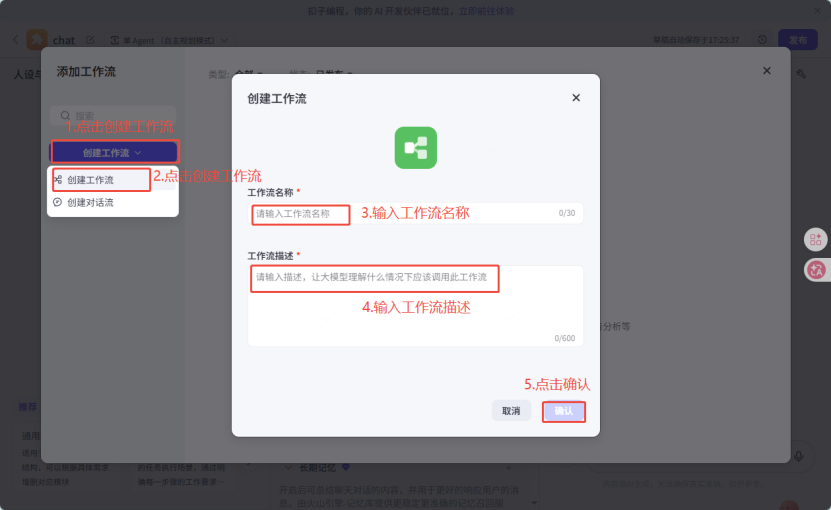
Create Workflow
Configure Workflow
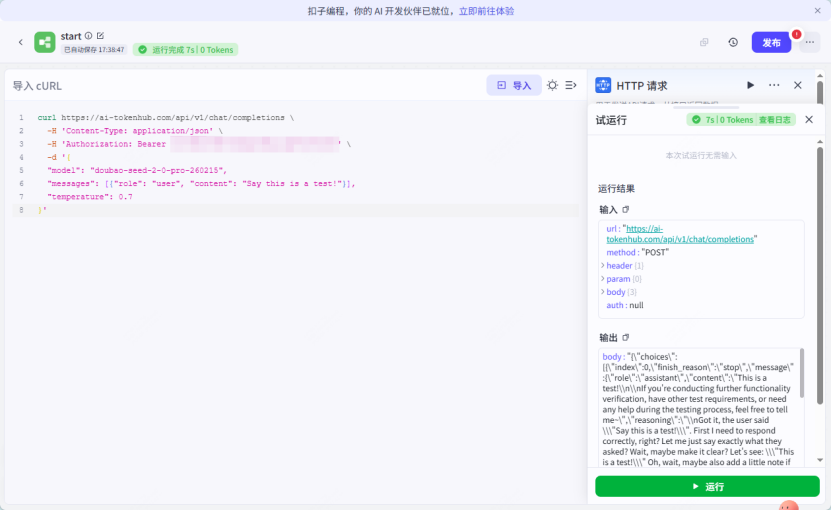
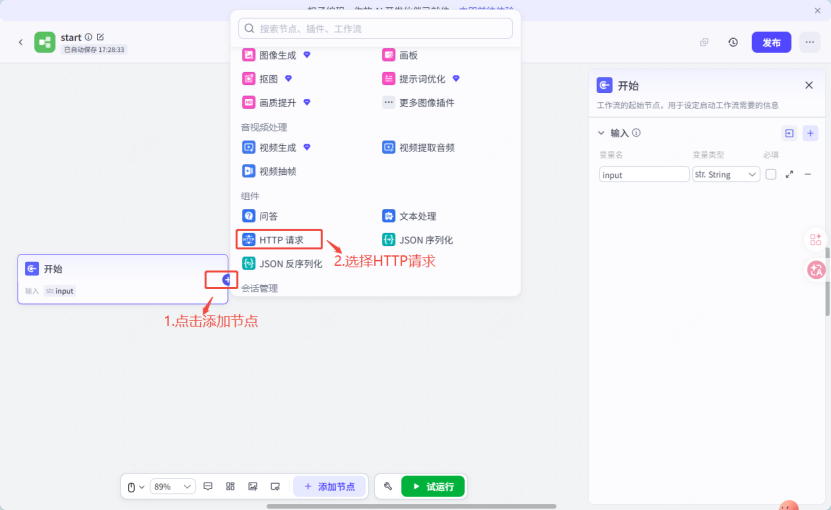
Add HTTP Request Node
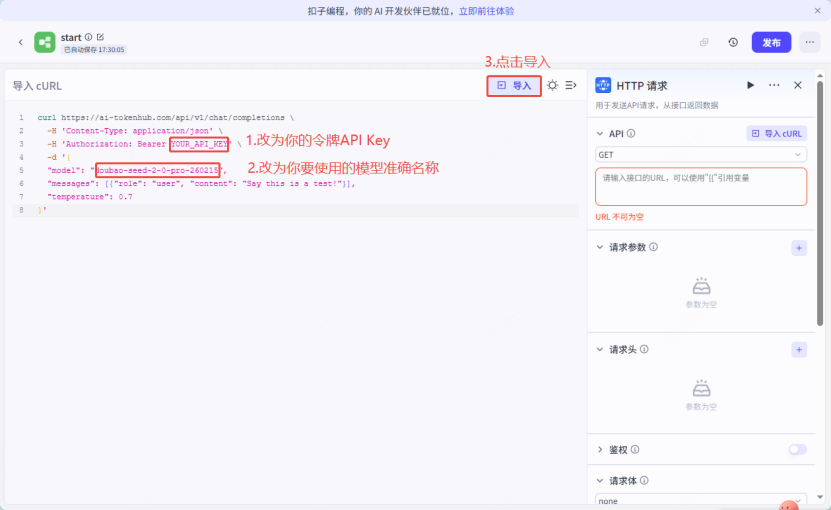
Import cURL cURL is as follows
curl https://ai-tokenhub.com/api/v1/chat/completions
-H 'Content-Type: application/json'
-H 'Authorization: Bearer YOUR_API_KEY'
-d '{ "model": "qwen3.5-plus", "messages": [{"role": "user", "content": "Say this is a test!"}], "temperature": 0.7 }'
Note: You need to modify the corresponding parts of cURL according to your API Key and used model 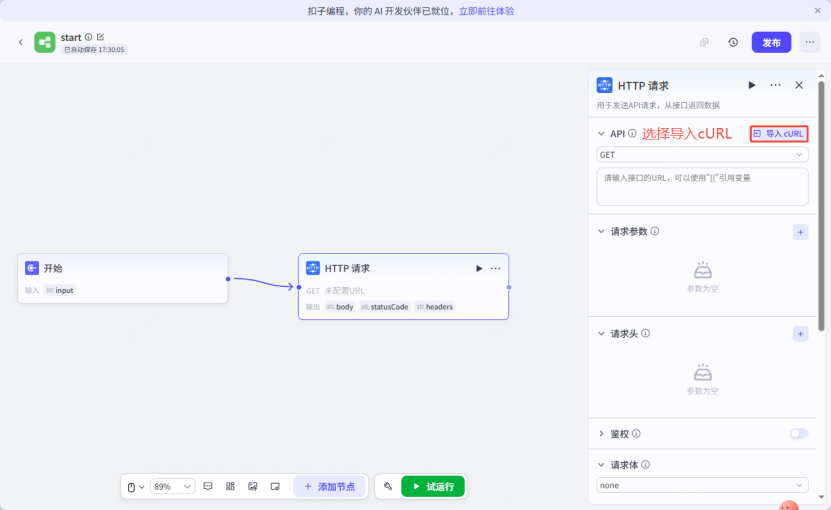
Click Test
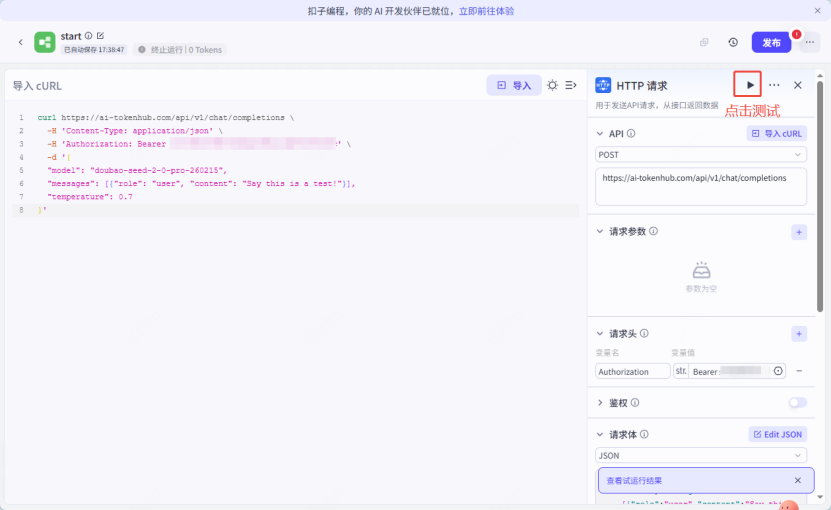
Test Run Results