
Doubao Seedance 2.5 Tutorial
Doubao Seedance 2.5 (referred to as Seedance 2.5 below) is a new-generation video creation model with comprehensive improvements in long-narrative capability, full-modal reference capability, and editing capability. The maximum single-generation duration is extended to 30 seconds with support for multiple rounds of extension, the upper limit of multimodal reference materials per request is raised to 50, and timestamp-based precise editing control is provided. The picture quality is fully optimized, making the output closer to real cinematic footage. This document introduces the signature capabilities and usage of the Seedance 2.5 model, helping you quickly implement Create Video Generation Task API calls.
- Register a platform account and log in to the platform console.
- Obtain an API Key: Create an API Key in the platform console and keep it safe. Do not disclose it to others (see [API Authentication](/en/api-guides/authentication)).
Must-Read Before Use
Task Types and Restrictions
Seedance 2.5 determines the task type based on the input materials and prompt intent. Task types include text-to-video, first frame/first & last frame video generation, and full-modal reference video generation tasks; the full-modal reference video generation task is further divided into 3 subtasks based on prompt intent: reference video generation, video editing, and video extension.
| Task Type | Trigger Condition | Special Restriction | |
|---|---|---|---|
| Text-to-video | Only a text prompt is passed in | No special restriction on ratio / duration | |
| First frame/first & last frame video generation | content.role is set to first_frame / last_frame | ratio must be adaptive> The model automatically keeps the aspect ratio of the output video consistent with the first frame image specified by first_frame | |
| Full-modal video generation task | Reference video generation | content contains at least one reference material with role reference_image, reference_video, or reference_audio | No special restriction on ratio / duration |
| Video editing | content contains at least one reference video with role reference_video, and the editing intent is expressed through the prompt | * ratio must be adaptive, duration must be -1> The model selects the video to be edited based on prompt intent and automatically keeps the aspect ratio and duration of the output video consistent with the video being edited * The reference video duration must be 4-30 seconds | |
| Video extension | content contains at least one reference video with role reference_video, and the extension intent is expressed through the prompt | ratio must be adaptive> The model selects the video to be extended based on prompt intent and automatically keeps the aspect ratio of the output video consistent with the video being extended |
omni_reference_task_type to front-load errors. For details, see the configuration methods below.Configuration Methods
Full-modal reference video generation (subtask not specified)
For full-modal reference video generation tasks, if you do not explicitly distinguish the specific subtask type, it is recommended to configure the parameters as follows:
Set
omni_reference_task_typetoauto.Set
content.roletoreference_image,reference_video, orreference_audio.It is recommended to set
ratiotoadaptiveanddurationto-1. If reference videos are passed in, it is recommended that a single reference video be 4–30 seconds long.
omni_reference_task_type is set to auto, the model may classify the task as reference video generation, video editing, or video extension based on prompt intent. Video editing and video extension tasks have special restrictions on parameter configuration. Configuring as recommended ensures compatibility with these restrictions and reduces async errors after task creation.Video editing
Edits the picture or audio of the original video, such as replacing the video subject, adding/removing/modifying objects in the video, or partial repainting and restoration.
For explicit video editing tasks, the following configuration method is recommended:
Set
omni_reference_task_typetoedit.contentcontains at least one reference video withrolereference_video.ratiomust beadaptive;durationmust be-1; the reference video duration must be 4–30 seconds.The prompt must contain at least one of the keywords: 编辑视频 (edit video), 增加/加上 (add), 删除/去掉 (delete/remove), 修改/替换/改成 (modify/replace/change to).
Prompt examples: @video1 中加一些小动物 (add some small animals in @video1); 把 @video1 的人物修改为 @image1 (change the person in @video1 to @image1); 删掉 @video1 的背景音乐 (remove the background music of @video1)
Video extension
Extends the original video forward or backward.
For explicit video extension tasks, the following configuration method is recommended:
Set
omni_reference_task_typetoextend.contentcontains at least one reference video withrolereference_video.ratiomust beadaptive.The prompt must contain at least one of the keywords: 向前/向后延长 (extend forward/backward), 延续 (continue), 续写 (continue writing).
Prompt examples: 向后延长 @video1,@image1 的角色从天而降... (extend @video1 backward, the character in @image1 falls from the sky...); 续写 @video1 前 5s,@video2 女人入画说... (continue the first 5s of @video1, a woman enters the frame in @video2 and says...)
First frame/first & last frame video generation
Input 1 image as the first frame to generate a video, or input 2 images as the first frame and last frame respectively.
contentmust contain an image withrolefirst_frame; first & last frame video generation also requires an image withrolelast_frame.ratiomust beadaptive.
Error Mechanisms
Seedance 2.5 has the following two parameter validation and error mechanisms.
Synchronous error (when submitting the task)
- For full-modal reference video generation tasks, when
omni_reference_task_typeis explicitly set toeditorextend, the API validates the special parameter restrictions upfront; if the requirements are not met, the API returns an error immediately.
InvalidParameter.TaskTypeMismatch). It is recommended to follow the prompt writing guidelines for each task type to reduce the probability of errors.Async error (after the task starts)
For full-modal reference video generation tasks, when
omni_reference_task_typeis not passed or is set toauto, the model first determines the actual task type based on the input materials and prompt, then validates the special parameter restrictions of that type. If the requirements are not met, the task fails with an async error.For first frame/first & last frame video generation, if the parameter configuration does not conform to the task restrictions, the task fails with an async error.
InvalidParameter.TaskTypeConstraint.Latest Capabilities
Capability Overview
| Model Name | Seedance 2.5 | Seedance 2.0 | Seedance 2.0 fast | Seedance 2.0 mini | |
|---|---|---|---|---|---|
| Model ID | doubao-seedance-2-5-260628 | doubao-seedance-2-0-260128 | doubao-seedance-2-0-fast-260128 | doubao-seedance-2-0-mini-260615 | |
| Text-to-video | ✓ | ✓ | ✓ | ✓ | |
| Image-to-video (first frame) | ✓ | ✓ | ✓ | ✓ | |
| Image-to-video (first & last frame) | ✓ | ✓ | ✓ | ✓ | |
| Full-modal reference | Image reference | ✓ | ✓ | ✓ | ✓ |
| Video reference | ✓ | ✓ | ✓ | ✓ | |
| Audio reference | ✓ | ✗ (requires image/video) | ✗ (requires image/video) | ✗ (requires image/video) | |
| Combined reference * Image + audio * Image + video * Video + audio * Image + video + audio | ✓ | ✓ | ✓ | ✓ | |
| Edit video | ✓ | ✓ | ✓ | ✓ | |
| Extend video | ✓ | ✓ | ✓ | ✓ | |
| Generate audio-containing video | ✓ | ✓ | ✓ | ✓ | |
| Reference material limit | 50 (30 images + 10 videos + 10 audio) | 15 (9 images + 3 videos + 3 audio) | 15 (9 images + 3 videos + 3 audio) | 15 (9 images + 3 videos + 3 audio) | |
| Web search tool | ✓ | ✓ | ✓ | ✓ | |
| Draft mode | ✓ | ✗ | ✗ | ✗ | |
| Return last frame | ✓ | ✓ | ✓ | ✓ | |
| Output video specs | Output resolution | * 480p (8-bit color depth) * 720p (8-bit color depth) * 1080p (10-bit color depth) | * 480p (8-bit color depth) * 720p (8-bit color depth) * 1080p (8-bit color depth) * 4k (10-bit color depth) | * 480p (8-bit color depth) * 720p (8-bit color depth) | * 480p (8-bit color depth) * 720p (8-bit color depth) |
| Output aspect ratio | 21:9, 16:9, 4:3, 1:1, 3:4, 9:16, adaptive | 21:9, 16:9, 4:3, 1:1, 3:4, 9:16, adaptive | 21:9, 16:9, 4:3, 1:1, 3:4, 9:16, adaptive | 21:9, 16:9, 4:3, 1:1, 3:4, 9:16, adaptive | |
| Output duration | 4~30 seconds; -1 (the model automatically selects the best duration within the valid range) | 4~15 seconds; -1 (the model automatically selects the best duration within the valid range) | 4~15 seconds; -1 (the model automatically selects the best duration within the valid range) | 4~15 seconds; -1 (the model automatically selects the best duration within the valid range) | |
| Output video format | mp4, mov | mp4 | mp4 | mp4 | |
| Offline inference | ✗ | ✗ | ✗ | ✗ |
Signature Capabilities
30-second Coherent Video Output
The maximum video generation duration of Seedance 2.5 is extended from 15 seconds (Seedance 2.0 series) to 30 seconds, supporting generating a coherent video of up to 30 seconds in one pass, presenting a complete story without multi-segment stitching.
| Input: Text + image | Output |
|---|---|
 > Prompt: An advanced, highly cinematic 30-second 3D motion graphics sequence in an exquisite steampunk and vintage miniature landscape style... (see the full prompt in the code example below) |
50 Full-modal Reference Materials Input
The upper limit of input materials per request for Seedance 2.5 is raised to 50 (30 images + 10 videos + 10 audio clips), allowing free combination of images, videos, audio, and other multimodal materials for richer creative expression. Meanwhile, Seedance 2.5 newly supports generating videos from pure audio references without requiring image or video materials.
| Input: Text + 1 image + 6 videos | Output | ||
|---|---|---|---|
 > Prompt: A bright and colorful advertisement-style video featuring fruity cookies... (see the full prompt in the code example below) |
Smarter Duration and Aspect Ratio Control
Seedance 2.5 supports intelligently controlling the aspect ratio and duration of the output video by configuring ratio to adaptive and duration to -1; however, special control behaviors apply in video editing, video extension, and first frame/first & last frame video generation tasks. See the examples below for details.
Example - Video editing
In video editing tasks, Seedance 2.5 selects the video to be edited based on prompt intent and automatically keeps the aspect ratio and duration of the output video consistent with the video being edited (ratio by default can only be configured as adaptive, and duration by default can only be configured as -1; neither can be set separately).
| Input: Text + video (aspect ratio 5:4, duration 16 seconds) | Output (aspect ratio 5:4, duration 16 seconds) |
|---|---|
> Prompt: Video editing: Remove everyone in @Video 1 except the main subject. | > The aspect ratio of the output video automatically matches the 5:4 of the video being edited; the output duration is roughly the same as the 16 seconds of the video being edited |
Example - Video extension
In video extension tasks, Seedance 2.5 selects the video to be extended based on prompt intent and automatically keeps the aspect ratio of the output video consistent with the video being extended (ratio by default can only be configured as adaptive). The output video duration can be set manually or determined intelligently by the model (duration supports [4, 30] or -1).
| Input: Text + videos (Video 1 aspect ratio 7:5, Videos 2 & 3 aspect ratio 16:9) | Output (aspect ratio 7:5) | |
|---|---|---|
> Prompt: Extend @Video 1, the window opens into the gallery interior of @Video 2, and finally the camera enters the painting of @Video 3 | > The aspect ratio of the output video automatically matches the 7:5 of the video being extended |
Example - First frame/first & last frame video generation
In first frame/first & last frame video generation tasks, Seedance 2.5 automatically keeps the aspect ratio of the output video consistent with the first frame image specified by first_frame (ratio by default can only be configured as adaptive). The output video duration can be set manually or determined intelligently by the model (duration supports [4, 30] or -1).
| Input: Text + first frame (aspect ratio 1:1) + last frame | Output (aspect ratio 1:1) | |
|---|---|---|
> Prompt: The girl in the picture says "cheese" to the camera with a 360-degree orbiting camera movement | > The aspect ratio of the output video automatically matches the 1:1 of the first frame image |
Native Multilingual Generation
Seedance 2.5 natively supports prompt input and audio-containing video generation in multiple languages, covering Chinese, English, Spanish, Indonesian, Malay, Thai, Arabic, Portuguese, Vietnamese, Japanese, and Korean.
| Input: Text + image | Output |
|---|---|
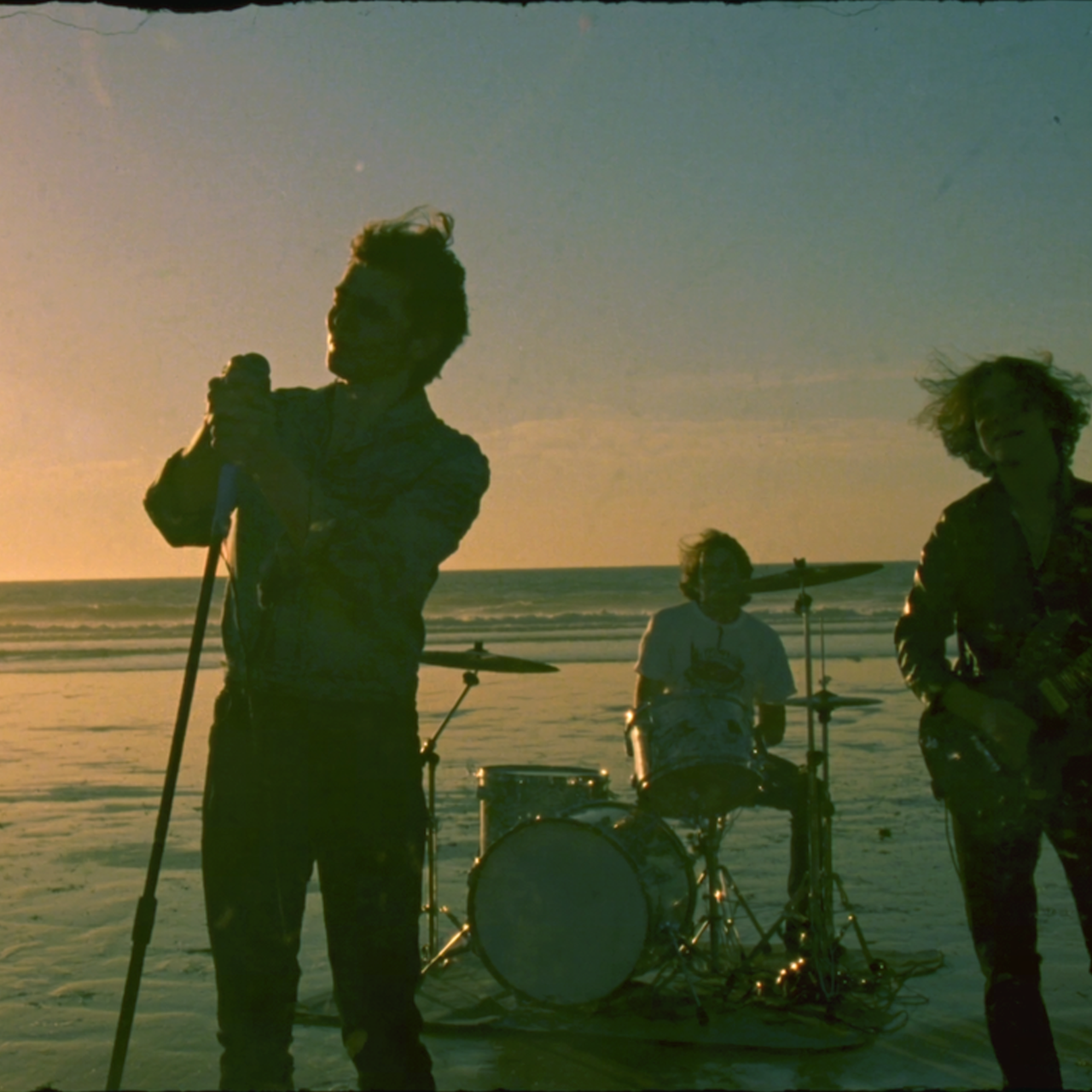 > Prompt: A cinematic hip-hop / rap music video with lyrics in 8 languages... (see the full prompt in the code example below) |
More Capabilities
Seedance 2.5 also supports the following basic capabilities. For detailed usage and code examples, refer to the corresponding sections:
Text-to-video: generates a video from a text prompt.
Web search: autonomously decides whether to search internet content (such as products, weather, etc.) based on the prompt. Improves the timeliness of the generated video.
Draft mode: first generates a 480p Draft video to validate the effect, then generates a high-quality final video based on the Draft video.
Draft Mode
Draft mode is a two-step video generation approach of "validate quickly first, then generate a high-quality final video". Once enabled, you can generate a low-resolution preview video more quickly to verify key elements such as scene structure, camera movement, subject actions, and prompt intent; after confirming the result meets expectations, use the Draft video task ID to generate a high-quality final video.
| Input | Draft video | Final video |
|---|---|---|
> Prompt: A girl holding a fox, the girl opens her eyes and looks gently at the camera, the fox is held amicably, the camera slowly pulls out, the girl's hair is blown by the wind, and the sound of wind can be heard | > Generate a Draft video to preview and confirm the generation effect. | > The final video is generated by reusing key parameters of the Draft video such as the model, prompt, input materials, seed value, audio settings, aspect ratio, and duration, ensuring consistency of the key elements. |
Step 1: Generate a Draft video
When calling the POST /contents/generations/tasks API to create a video generation task, configure draft=true to enable Draft mode.
- Only 480p Draft videos can be generated; setting other resolutions will trigger an error.
- The token usage and unit price of a 480p Draft video are the same as those of a normal 480p video.
- Create a Draft video generation task.
After the request succeeds, the system returns a task ID. This ID is the Draft video task ID, which will be used later to generate the final video.
- Use the Draft video task ID to query the generation status and result.
When the task status becomes
succeeded, you can download the generated Draft video file at thecontent.video_urlfield. After confirming the Draft video meets expectations, generate the final video following the steps below.
Step 2: Generate the final video
If the Draft video meets expectations, you can call the POST /contents/generations/tasks API again with the Draft video task ID returned in Step 1 to generate the final video.
- When generating a final video based on a Draft video, currently only 1080p resolution is supported; setting other resolutions will trigger an error.
- The Draft video task ID is valid for 7 days (counted from the
created_attimestamp); after that, it can no longer be used to generate a final video. - Step 1 and Step 2 tasks are billed independently:
- Step 1: Generating a Draft video is billed as a 480p video.
- Step 2: Generating a final video based on the Draft is billed at the target resolution:
- The token unit price depends on whether Step 1 includes input videos.
- When calculating token usage, the input video duration is calculated based on the input videos of Step 1; the Draft video is not counted.
When generating a final video based on a Draft video, different parameters are handled differently: some must be passed in with fixed values, some are automatically reused by the model, and some can be reconfigured for the final video. Configure parameters according to the table below to avoid request errors.
| Type | Parameters | Rule |
|---|---|---|
| Fixed parameters | * Model ID (model)* Draft mode ( draft)* Resolution ( resolution) | * model must be the same as the one used when creating the Draft task.* draft can be omitted or set to false.* resolution must be passed in and can only be set to 1080p. |
| Auto-reused parameters | * Prompt (content.text)* Reference images/videos/audio ( content.image_url, content.video_url, content.audio_url)* Duration ( duration)* Aspect ratio ( ratio)* Random seed ( seed)* Audio-containing video ( generate_audio)* Task type ( omni_reference_task_type) | * The model automatically reuses the values used when creating the Draft task. * Forbidden to pass in. Even if the value passed in is the same as that used in the Draft phase, an error will be triggered. |
| Reconfigurable parameters | * Return last frame (return_last_frame)* Output format ( output_format)* Watermark ( watermark)* Service tier ( service_tier)* Task timeout ( execution_expires_after)* Execution priority ( priority)* Callback URL ( callback_url)* User identifier ( safety_identifier) | * If not passed in, the model default values are used automatically; the actual values of the Draft video are not inherited. * Parameter values must comply with the restrictions of the Seedance 2.5 model. For details, see Create Video Generation Task API. |
- Create a video generation task based on
content.draft_task.id.
- Use the video task ID to query the generation status and result.
When the task status becomes
succeeded, you can download the generated video file at thecontent.video_urlfield.
Customizing Video Output Specifications
Control the output video specifications through API parameters, including resolution, aspect ratio, duration, output format, watermark, etc.
resolution: specifies the resolution of the output video.
ratio: specifies the aspect ratio of the output video.
duration: specifies the duration of the output video.
output_format: specifies the format of the output video.
watermark: specifies whether to add a watermark to the output video.
Resolution
Specify the resolution of the output video via the resolution parameter.
Default value:
720pAvailable values:
480p(8-bit color depth)720p(8-bit color depth)1080p(10-bit color depth)
- Compared with the common 8-bit color depth, 10-bit color depth preserves richer color gradations and smoother gradient transitions, meeting the requirements of professional film production and HDR video content.
- H.265/HEVC encoding may be incompatible with a few playback environments. If you encounter problems, upgrade your system, switch devices, or use players such as VLC, MPV, or QuickTime Player.
{
    "resolution": "720p"
}
Aspect Ratio
Specify the aspect ratio of the output video via the ratio parameter.
Default value:
adaptive, i.e., the model automatically adapts the aspect ratio of the video based on the input prompt and reference materials.Available values:
16:9,4:3,1:1,3:4,9:16,21:9,adaptive
- Video editing / video extension: the model selects the video to be edited or extended based on prompt intent, and automatically keeps the aspect ratio of the output video consistent with that video.
- First frame / first & last frame video generation: keeps the aspect ratio of the output video consistent with the first frame image specified by
first_frame. - Text-to-video / reference video generation: selects the most appropriate aspect ratio from the available options (
16:9,4:3,1:1,3:4,9:16,21:9) based on the prompt.
Seedance 2.5 only supports configuring ratio as adaptive; a specific aspect ratio cannot be specified.{
"ratio": "16:9"
}Pixel dimensions corresponding to different aspect ratios:
| Resolution | Aspect Ratio | Pixel Size (Width × Height) |
|---|---|---|
| 480p | 16:9 | 854×480 |
| 4:3 | 752×560 | |
| 1:1 | 640×640 | |
| 3:4 | 560×752 | |
| 9:16 | 480×854 | |
| 21:9 | 992×432 | |
| 720p | 16:9 | 1280×720 |
| 4:3 | 1112×834 | |
| 1:1 | 960×960 | |
| 3:4 | 834×1112 | |
| 9:16 | 720×1280 | |
| 21:9 | 1470×630 | |
| 1080p | 16:9 | 1920×1080 |
| 4:3 | 1664×1248 | |
| 1:1 | 1440×1440 | |
| 3:4 | 1248×1664 | |
| 9:16 | 1080×1920 | |
| 21:9 | 2206×946 |
Video Duration
Specify the duration of the generated video (in seconds) via the duration parameter.
Default value:
-1, i.e., the model automatically adapts the video duration based on the input prompt and reference materials.Value range:
[4, 30]or-1
- Video editing task: the model selects the video to be edited based on prompt intent, and automatically keeps the output video duration roughly consistent with the video being edited.
- The output video may be a non-integer number of seconds
- The output video may be slightly shorter than the video being edited, by no more than 0.4 seconds
- Other video generation tasks: the model autonomously selects an appropriate video length (integer seconds) within
[4, 30].
Seedance 2.5 only supports configuring duration as -1; a specific duration cannot be specified. In addition, the input video to be edited must be within [4, 30]s, otherwise an error will be triggered.{
"duration": 10
}Output Format
Control the format of the output video via the output_format parameter.
mp4(default): a universal format with the best compatibility, using standard color precision, which can be played directly on websites, mobile devices, various players, and distribution platforms.mov: a high-color-precision format for professional scenarios that better preserves color and brightness consistency, suitable for professional post-production with high color fidelity requirements such as color grading, keying, and compositing. It is recommended to use the mov format for both input and output in video editing and video extension scenarios.
{
    "output_format": "mov"
}
Adding a Watermark to the Video
Control whether to add a watermark to the generated video via the watermark parameter.
true: adds an
AI-generatedwatermark in the lower-right corner of the video.false (default): no watermark is added.
{
    "watermark": true
}
Effortless Creation of Portrait Videos
Seedance 2.5 supports the same effortless creation features as the Seedance 2.0 series. For detailed tutorials, see Doubao Seedance Effortless Creation of Portrait Videos:
| Solution | Description |
|---|---|
| Trust model outputs as input materials | Original outputs containing human faces generated by some models under this account can be used as input materials to call the Seedance 2.5 series models again for secondary creation, without triggering input moderation interception. |
| Use preset virtual avatars | The platform provides a preset virtual avatar library, offering creators free, compliant, and diverse portrait materials. Suitable for scenarios that require realistic-style faces without specifying a particular person, pursuing zero compliance risk and fast creation. |
| Use authorized real-person materials | Supports using authorized real-person portrait materials for video generation. |
Prompt Tips
Prompt Skill
The platform provides the Seedance 2.5 prompt optimization skill to help you fine-tune your prompts.
- Install via NPX in your local project:
npx --yes skills@latest add \
  "https://arkdocs.tos-cn-beijing.volces.com/skills/" \
  --skill sd25-pe \
--yes- Usage: Enter
/sd25-pe + your promptin the AI chat box to start tuning your prompt.
Prompt Rules
Follow the basic formula: organize the prompt in the order of "subject + action/event + scene & environment + visual style + camera movement/cuts + sound"; omit the parts you do not need.
Clarify the role of each material: use
@Image 1,@Video 1,@Audio 1to reference materials, explaining what each material provides (such as appearance, actions, voice) and what not to adopt.Distinguish sounds with special characters: music in
(), sound effects in<>, dialogue in{}, subtitles in【】. For non-Chinese dialogue, specify the language before the line.
For the complete prompt writing methods, templates, and advanced techniques, see the Seedance 2.5 prompt guide.
Usage Limits
Full-modal Input
Image Requirements
Input methods: image URL, image Base64 encoding, asset ID.
Image formats: jpeg, png, webp, bmp, tiff, gif, heic, heif.
Single image dimensions:
Aspect ratio (width/height): [0.4, 2.5]
Width/height (px): [300, 6000]
Size: a single image must be smaller than 30 MB. The request body size must not exceed 64 MB. Do not use Base64 encoding for large files.
Number of images:
Image-to-video (first frame): 1
Image-to-video (first & last frame): 2
Full-modal reference video generation: 1~30
Video Requirements
Input methods: video URL, asset ID.
Video formats: mp4, mov. Supported encoding formats are shown in the table below.
Resolution: 480p, 720p, 1080p, 4k
Duration:
Non-video-editing tasks: a single video is [2, 30] s.
Video editing tasks: a single video is [4, 30] s.
Up to 10 reference videos can be passed in, and the total duration of all videos must not exceed 30 s.
Single video dimensions:
Aspect ratio (width/height): [0.4, 2.5]
Width/height (px): [300, 6000]
Total pixels: [614×664=407696, 3326×2494=8295044], i.e., the product of width and height must fall within the range [407696, 8295044].
Size: a single video must not exceed 200 MB.
Frame rate (FPS): [24, 60]
| Container Format | Common File Extension | MIME | Supported Encodings |
|---|---|---|---|
| MP4 | .mp4 | video/mp4 | Video: H.264/AVC, H.265/HEVC Audio: AAC, MP3 |
| QuickTime | .mov | video/quicktime | Video: H.264/AVC, H.265/HEVC Audio: AAC, MP3, PCM |
Audio Requirements
Input methods: audio URL, audio Base64 encoding, asset ID.
Audio formats: wav, mp3
Duration: a single audio clip is [2, 30] s. Up to 10 reference audio clips can be passed in, and the total duration of all audio must not exceed 30 s.
Size: a single audio clip must not exceed 15 MB, and the request body size must not exceed 64 MB. Do not use Base64 encoding for large files.
Retention Period
Task records: retained for 7 days; the query range is [T-7 days, T), where T is the UTC second-level timestamp when the request is initiated.
Video URL: valid for 24 hours (inaccessible after expiration), with a download limit of 100 times. Please download or back up in time.
Rate Limiting
Under the same main account, requests using the same model (regardless of version) are subject to the following limits. Exceeding the limits returns a "429: 'Too Many Requests'" error.
Model-level Rate Limits
RPM (Requests Per Minute): the maximum number of video generation tasks that can be created per minute. When the limit is exceeded, the task creation request fails due to rate limiting.
Maximum concurrent tasks: the maximum number of tasks that can be in the processing state at the same time. When the limit is reached, newly created tasks enter the queue for processing.
| Limit Dimension | Enterprise Users | Individual Users |
|---|---|---|
| Maximum RPM | 600 | 180 |
| Maximum Concurrency | 10 | 3 |
Non-inference API Request Rate Limits
- QPS (Queries Per Second): the maximum number of requests allowed per second. When the limit is exceeded, the task request fails due to rate limiting.
| API Name | QPS Limit per Account |
|---|---|
| Query video generation task | 20 |
| Query video generation task list | 1 |
| Cancel or delete video generation task | 20 |